What is TaskEnable?
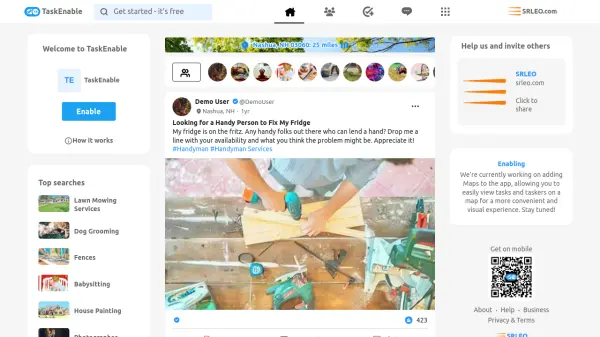
TaskEnable operates as a community platform where users can post tasks they need help with and connect with local service providers, known as taskers. The platform facilitates various everyday needs such as home cleaning, handyman services, photography, accounting, and other local services. Users can browse tasks by location and radius, view verified profiles, and interact through comments and chat features.
The interface includes features for posting tasks, managing profiles, and viewing tasker availability. It supports location-based searches with radius filters and provides a social media-like experience with verified badges, likes, comments, and chat functionality. The platform is designed to simplify finding and hiring local help for a wide range of services.
Features
- Task Posting: Users can create posts detailing tasks they need help with, including descriptions and hashtags
- Location-Based Search: Filter tasks and taskers by zip code and radius up to 25 miles
- Verified Profiles: Display verified badges for users to build trust in the community
- Communication Tools: Enable comments and chat features for direct interaction between users and taskers
- Social Features: Include likes, saves, and social media-style interactions on task posts
Use Cases
- Finding a local handyman for appliance repairs
- Hiring a home cleaner for regular cleaning tasks
- Booking a photographer for events like weddings or family photoshoots
- Seeking accounting help for tax preparation
- Arranging contactless delivery services
- Locating dog grooming or lawn mowing services