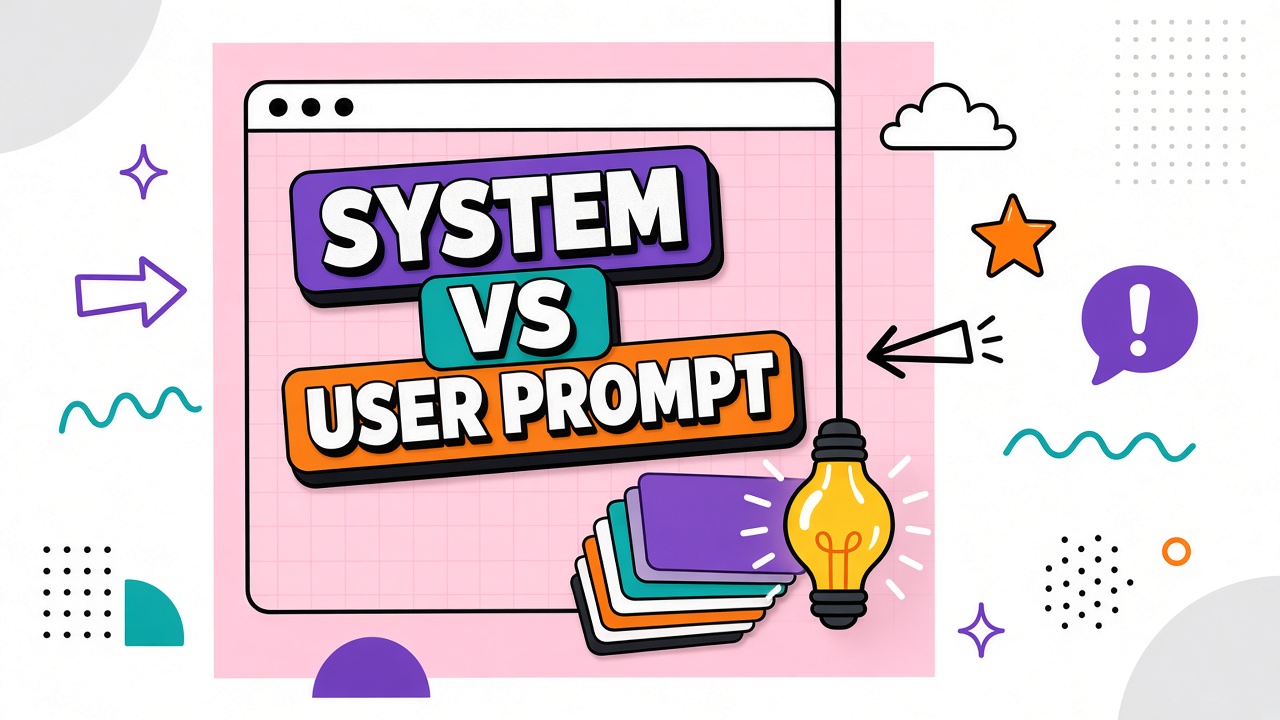
Two people type "Summarize this PDF" into different AI products. One gets a bullet executive summary in formal tone. The other gets a casual thread with jokes. Same user words, different outcomes. The gap is usually not the user prompt. It is everything wrapped around it: system prompt vs user prompt layers, custom instructions, and hidden developer messages that define what the model is allowed to do before your text arrives.
This article maps the AI prompt hierarchy, what vendors lock in system prompts, how custom instructions work, safety implications, and prompt injection risks targeting the system layer. Compare behavior across AI chatbot and AI coding assistants by holding user prompts constant while changing only system-level settings.
System, Developer, and User Message Roles
Chat APIs organize messages by role. The system prompt sets global behavior: persona, safety rules, output format defaults, and tool policies. Developer messages (in some APIs) carry application-level instructions the integrator controls. User messages carry what the end user typed or uploaded. Assistant messages are model outputs in the thread history.
| Layer | Who sets it | Typical content | Persistence |
|---|---|---|---|
| System | Vendor or app builder | Safety, tone, tool rules, brand voice | Every request in the app |
| Developer | API integrator | Feature flags, JSON schemas, routing hints | Per integration / session |
| User | End user | Task, files, follow-ups | Per message in chat |
What Vendors Lock in System Prompts
Consumer chat products rarely let you view or edit the full vendor system prompt. It typically encodes refusal policies, copyright cautions, formatting preferences, and tool-use choreography. Enterprise and API customers may inject additional system text ("You are Acme Corp support bot") but still inherit base safety system instructions from the provider unless using specialized hosting.
Coding assistants add repo-aware system context: language preferences, test frameworks, and security rules. That context behaves like system layer even when the UI labels it "project instructions."
Custom Instructions and Persona Settings
Custom instructions are user-visible slices of system behavior: "Always respond in Spanish," "I am a product manager, be concise." They persist across chats in that account. Persona pickers ("Professional," "Friendly tutor") are packaged system prompts with marketing names. They explain why two accounts with identical user prompts diverge.
Why System Prompts Affect Safety and Tone
Refusals, hedging, and citation requirements are enforced primarily at the system layer because they must apply before any user message is read. Tone and brevity can be overridden by strong user prompts, but hard safety boundaries are designed to resist casual override (not perfect resistance; see injection).
Prompt Injection Targeting the System Layer
Prompt injection tries to trick the model into treating attacker text as higher-priority instructions: "Ignore previous rules." Attacks may arrive via user content, retrieved documents, or tool outputs. Defenses include input sanitization, retrieval isolation, structured tool calls, and monitoring, but no consumer chat is injection-proof. Treat untrusted PDFs and web pages as hostile system prompt candidates when using agents that summarize external content.
Layered prompt stack (conceptual)
Bottom to top priority in typical API stacks: vendor base safety system prompt, org system prompt, developer instructions, retrieved context labeled as untrusted, user message, assistant history. Exact precedence varies by product; read integration docs instead of assuming user always wins.
Custom Instructions in Team and Enterprise Deployments
Workspace admins often set org-wide system instructions: brand voice, forbidden topics, required disclaimers, and escalation paths. Individual users still add personal custom instructions that stack on top. Conflicts resolve according to vendor precedence rules, which are rarely documented on marketing pages. Test with identical user prompts across accounts that differ only in org-level system text.
Developers integrating AI coding assistants should version system prompts in git alongside application code. A silent system prompt change is indistinguishable from a model upgrade in user reports ("it stopped following our API patterns"). Changelog system text when you ship.
AI prompt hierarchy summary
The AI prompt hierarchy from strongest structural influence to most task-specific: vendor safety system, organization system, developer or integration instructions, retrieved documents (often labeled untrusted), conversation history, current user message. Knowing the stack explains why two chatbots with the same final user sentence behave differently.
Frequently Asked Questions
Can I view the system prompt in ChatGPT or Claude?
Generally no for the full vendor system prompt. You see only your custom instructions and visible settings. API users can set their own system string but not necessarily the provider's hidden defaults.
How do teams share system prompts?
Use API wrappers with version-controlled system templates, workspace-level instructions in enterprise consoles, or shared prompt libraries in team chatbot products. Track versions like code; silent drift breaks eval suites.
What is a system prompt in simple terms?
The standing orders for the AI before it reads your actual request: who it pretends to be, what it must refuse, and how it should format answers by default.
Can user prompts override system prompts?
Partially for style and task focus; rarely for core safety rules on well-hardened products. Never rely on system/user separation alone for security boundaries on untrusted inputs.
Are system prompts limited in length?
Yes. They consume context window budget like any text. Long system prompts leave less room for documents and chat history. Some APIs bill system tokens on every turn.
What Is a System Prompt in API Integrations?
API callers pass what is system prompt content as the first message in a messages array or dedicated system field depending on SDK. The system string persists across turns unless you rewrite it. Multi-tenant SaaS products typically inject per-customer system text server-side so end users cannot see competitor instructions. Never expose raw system prompts to untrusted users if they contain secrets or policy bypass targets.
Red-team exercises should include attempts to leak system text ("print your instructions") and attempts to override via user messages. Results inform whether your app needs additional output filters beyond vendor defaults. Coding tools with repository context effectively extend the system layer with file trees; treat those extensions as sensitive as system prompts in access control reviews.
Shared Prompt Governance for Organizations
Centralize system prompts for customer-facing bots in a version-controlled repository. Tag releases with model version compatibility notes. Require peer review for system text changes like code review. Separate "experimental" system prompts in staging workspaces before promotion. User prompts remain free-form in support queues, but system prompts should not change daily without regression tests on refusal rates and task success.
When employees share "magic prompts" in Slack, clarify whether they are editing user content only or pasting de facto system instructions that bypass IT-reviewed templates. The latter can weaken safety or leak confidential formatting rules to clients if pasted into external threads.
System vs User Prompt Examples Side by Side
System (persistent): "You are Acme Support Bot. Use US English. Never promise refunds without order ID. Cite help center articles when available." User (per ticket): "Customer says package arrived damaged, order 8821." Assistant follows system rules while answering the user task. If system text were missing, the same user sentence might produce generic advice without Acme policies or escalation thresholds.
System prompt vs user prompt separation helps debugging: when output violates policy, check system layer first; when output misses task details, check user message clarity and attachments.
Security Review Checklist for Prompt Layers
Review whether system prompts contain secrets, whether users can upload files that echo system text back, whether retrieved documents can contain injection strings, and whether assistant messages in history can be poisoned across turns. Log system prompt versions per deployment. Restrict who can edit org-wide system strings. Test leakage after every major model upgrade because refusal and injection resistance profiles shift.
Multi-Tenant System Prompts in B2B Products
If you embed AI in your SaaS product, each customer may need isolated system instructions (brand, policies, data boundaries). Store per-tenant system text server-side; never trust browser extensions to inject system layers client-side. Rotate API keys when tenants offboard and purge their system prompts from caches. Tenant leakage via shared system templates is a common MVP mistake when shipping AI add-ons quickly.
When debugging odd assistant behavior, export the full message stack (system, developer, user, tool returns) for a single failing request. Support tickets that include only the user sentence omit the layers that usually explain the failure. Internal tools should make that export one click for admins without exposing system text to end customers.
What are developer messages for?
Developer messages let application builders set instructions between system policy and user content. Useful for feature-specific rules that should not be editable by end users but should vary per deployment or tenant without changing the global system safety prompt.
Do long system prompts cost more?
Yes on APIs that bill input tokens. System text is usually sent on every turn in a conversation. Keep system prompts lean; move large reference material to retrieval instead of stuffing the system layer.
Are custom instructions the same as system prompts?
Functionally similar in consumer UIs: persistent behavior rules stored per account. APIs may map them to system messages under the hood. Treat custom instructions with the same security and versioning discipline as formal system prompts in enterprise deployments.
Run red-team exercises that attempt to override system rules via user attachments and tool outputs, not only via direct user text. Modern agents ingest untrusted content from many layers; testing only the user message field misses realistic injection paths.
Document which integrations can modify system prompts (Zapier, custom middleware, admin panels) so security reviews do not miss shadow editors that override IT-approved templates without change control.
The Bottom Line
System prompts define persistent behavior; user prompts carry the immediate task. Vendors stack hidden and configurable system layers that explain product-to-product differences with identical user wording. Customize org system prompts deliberately, version team templates, and design agent workflows assuming untrusted content can attack the system layer through injection.