
What is Tab Deck?
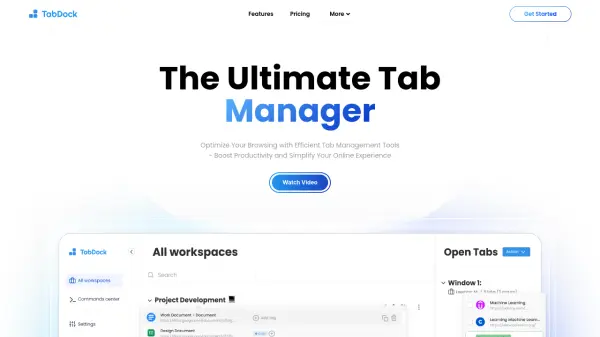
Tab Deck is a powerful browser extension that transforms the way you manage your tabs and tab groups. Designed for users who deal with multiple open tabs, it offers an intuitive interface to organize, group, and restore tabs effortlessly. Features include an open tabs panel that mirrors your browser's tabs, bookmark cards for visual bookmarks, window management to save sessions, and tab management with single-click save/open, reorder, and group capabilities. Additionally, Tab Deck provides cloud sync, Notion integration, Raycast search, and a Command+K panel for instant tab search. With support for dark mode, keyboard shortcuts, and data deduplication, it streamlines your browsing workflow.
Features
- Open Tabs Panel: Mirrors all open tabs in a convenient left panel for quick access.
- Bookmark Card: Transforms tabs into stunning visual bookmarks.
- Window Management: Save open tabs into sessions with one click and restore them in new windows.
- Tab Management: Save/open tabs with single click, reorder, group, or ungroup tabs.
- Cloud Sync: Sync data across devices by logging in and enabling auto sync.
- Notion Integration: Sync tabs and tab groups to Notion database for further management.
- Raycast Integration: Search sessions, tab groups, and tabs from anywhere on Mac via Raycast.
- Command+K Panel: Instant search for open or saved tabs.
- Dark Mode: Built-in dark mode for comfortable browsing.
- De-duplicate Tabs: Remove duplicate tabs to keep sessions clean.
Use Cases
- Organize hundreds of open tabs into manageable groups.
- Save browsing sessions for later research or project work.
- Share tab collections with colleagues via web links.
- Quickly find a specific tab among many using fuzzy search.
- Sync tab groups across multiple computers.
- Recover tabs after browser crashes or system restarts.
FAQs
-
Where is your data stored?
Data is stored locally by default and can be synced to the cloud when you log in and enable auto sync. -
Why do I need to log in?
Logging in enables cloud sync, session sharing, and access to premium features across devices. -
Is there a free trial?
Yes, Tab Deck offers a 7-day free trial for its Pro plan. No credit card is required.