What is Tablerone?
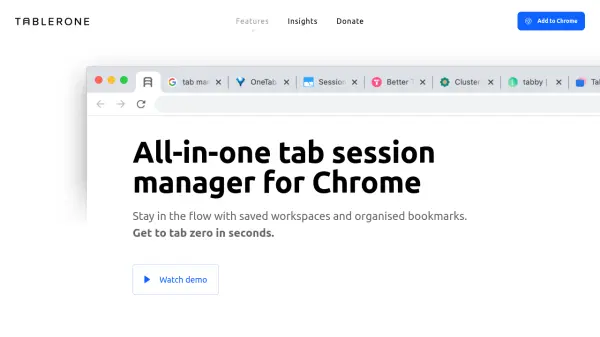
Tablerone delivers a comprehensive solution for Chrome users who need to manage multiple tabs, bookmarks, and browsing sessions efficiently. It allows users to save and organize tabs into workspaces, making project and research workflows seamless. With features like one-click saving, automated tab sleep to save system resources, and visual previews through generated screenshots, users can quickly find and retrieve relevant information without cluttering their browser.
The extension emphasizes data privacy, requiring no account setup and guaranteeing that user data remains confidential. Useful for power users, researchers, and anyone handling numerous tabs, Tablerone ensures efficient multitasking, easy restoration of closed or crashed tabs, and seamless syncing across devices. Its intuitive interface, keyboard shortcuts, and customization options help streamline your browsing experience while safeguarding your productivity.
Features
- Workspace Support: Organize tabs and bookmarks by projects, accounts, or interests
- Auto-save Sessions: Automatically save open tabs for future reference
- Visual Bookmarks: Recall and organize bookmarks with screenshots, tags, and notes
- Tab Restoration: Quickly reopen closed or crashed tabs
- Tab Sleep Mode: Automatically discard inactive tabs to save RAM and CPU
- Cross-device Sync: Sync bookmarks and settings across multiple devices
- Keyboard Shortcuts: Navigate and manage tabs without leaving the keyboard
- Batch Export/Import: Export URLs, meta titles, and notes or share sessions easily
- Enhanced Privacy: No account required and zero data sharing with third parties
Use Cases
- Organizing research projects with tagged and noted browser tabs
- Saving and restoring work sessions after a browser crash or restart
- Reducing RAM and CPU usage on Chrome by sleeping idle tabs
- Keeping personal and work browsing sessions separate and accessible
- Batch exporting URLs and tab data for collaborative purposes
- Quickly recovering essential browsing history for ongoing tasks
- Accessing saved bookmarks and tabs visually with previews
FAQs
-
Does Tablerone require an account to use?
No, Tablerone does not require users to create an account, ensuring complete privacy and data security. -
Can Tablerone help reduce Chrome’s RAM usage?
Yes, Tablerone features a tab sleep mode that discards inactive tabs automatically to save RAM and CPU resources. -
Is it possible to restore tabs after a browser crash?
Tablerone enables users to restore closed or crashed tabs and sessions efficiently. -
Does Tablerone work across multiple devices?
Yes, Tablerone supports syncing bookmarks and settings across different devices.