What is Statfluence?
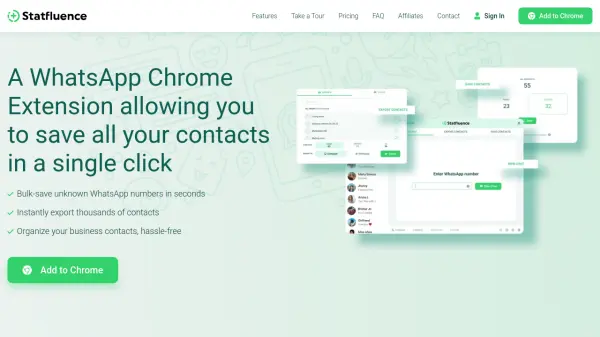
Statfluence provides a Chrome extension solution for managing WhatsApp contacts efficiently. It allows users to save unknown contacts in bulk with a single click, eliminating the need for manual entry. The extension exports entire contact lists, including unsaved numbers, to spreadsheets for easy analysis and organization.
Users can chat with any WhatsApp-registered number without adding it to contacts first, streamlining communication. Designed for WhatsApp status influencers and businesses, Statfluence helps expand audience reach by enabling status visibility to more contacts. It operates without storing personal information and complies with WhatsApp's Terms of Service.
Features
- Bulk Contact Saving: Save all previously unsaved WhatsApp contacts in one click
- Instant Contact Export: Export entire contact lists, including unsaved numbers, to spreadsheets in seconds
- Direct Chat Access: Chat with any WhatsApp-registered number without adding to contacts first
- Contact Organization: View and manage WhatsApp contacts easily in one place
- Customer Support: 24/7 customer support available via WhatsApp with average response time under 3 minutes
Use Cases
- Saving unknown WhatsApp contacts in bulk for status influencers
- Exporting WhatsApp contact lists for business analysis
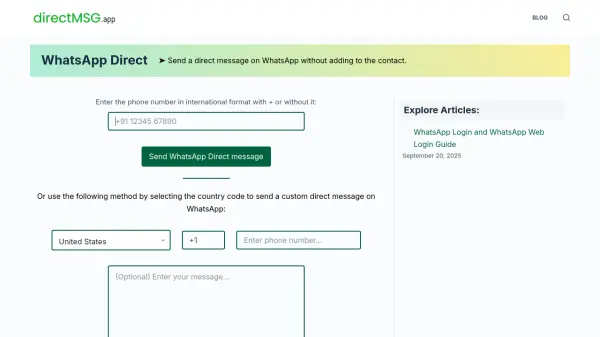
- Chatting with new WhatsApp numbers without manual contact addition
- Organizing business contacts from WhatsApp groups and chats
- Increasing WhatsApp status visibility by saving unsaved contacts
FAQs
-
How does Statfluence ensure data privacy?
Statfluence does not store personal information; it only helps transfer data from browser memory to the user's computer, with no exposure to Statfluence or third parties. -
What file format is used for exported contacts?
Contacts are exported as Microsoft Excel Workbook (.xlsx) files. -
How are payments processed and what methods are accepted?
Payments are processed through Stripe, a secure third-party service. Accepted methods include Credit cards, Google Pay, and Apple Pay. -
Can users change their subscribed numbers or get refunds?
Users cannot change subscribed numbers, and refunds are not provided; contact customer support for assistance.