What is SiteSnapper?
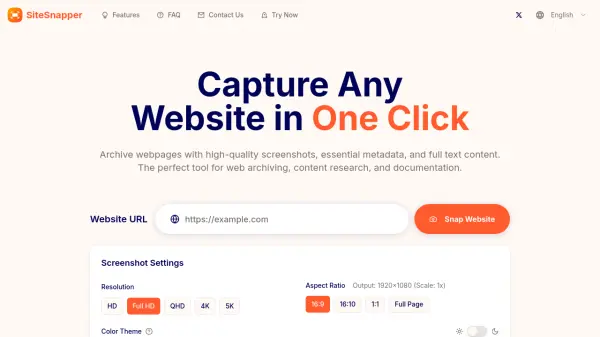
SiteSnapper serves as a comprehensive digital web archiving assistant, enabling users to preserve web content effectively. It allows for the capture of any webpage, storing it with high-quality screenshots, crucial metadata like titles and descriptions, and the complete text content.
Designed primarily for researchers, content curators, and digital professionals, SiteSnapper facilitates reliable web content preservation. It features functionalities such as device emulation to view websites across different platforms, full-page captures including below-the-fold content, multiple resolution support (HD to 5K), and theme mode capture (light/dark). Advanced options provide further control over the capture process.
Features
- Visual Capture: Take pixel-perfect snapshots of webpages.
- Essential Metadata Extraction: Automatically collect website titles, descriptions, and brand assets.
- Full Content Extraction: Extract and save complete webpage text content.
- Lightning-Fast Response: Get capture results in seconds.
- Device Emulation: Capture website appearance across desktop, mobile phones, and tablets.
- Full Page Capture: Capture the entire webpage, including below the fold.
- Multiple Resolution Support: Capture screenshots from HD to 5K resolution.
- Theme Mode Support: Capture websites in light and dark modes.
- Advanced Capture Options: Set custom wait times, click elements, and inject CSS.
- Easy Export & Sharing: Download screenshots (PNG/JPEG) and copy metadata/text.
Use Cases
- Web archiving
- Content research
- Website documentation
- Building content directories
- Creating bookmarking tools
- Checking website appearance across devices
- Preserving long-form web content
- Analyzing website text content
FAQs
-
What is SiteSnapper and how does it work?
SiteSnapper is a comprehensive web archiving tool that captures webpage screenshots, extracts metadata (titles, descriptions, icons), and saves complete text content. Simply enter a URL, adjust settings if needed, and get complete webpage information in seconds. -
Can I customize the capture process?
Yes! You can customize the wait time before capture, click specific elements, inject custom CSS, and switch between light and dark themes. These advanced options help you capture exactly what you need. -
What content can I extract from websites?
SiteSnapper captures three main types of content: visual (high-quality screenshots), metadata (titles, descriptions, icons), and textual (complete webpage text). This ensures you have a comprehensive archive of any webpage. -
Is there a limit to the number of captures?
Yes, there is a daily limit of 50 captures per user. This helps maintain service quality and ensure fair usage for everyone.