Mid-conversation, the assistant forgets a constraint you stated ten messages ago. You upload a report and the summary ignores the middle chapters. Marketing promises "infinite memory" but your thread still degrades after a long afternoon of coding help. These experiences usually trace to the context window: the hard limit on how much text the model processes in one request.
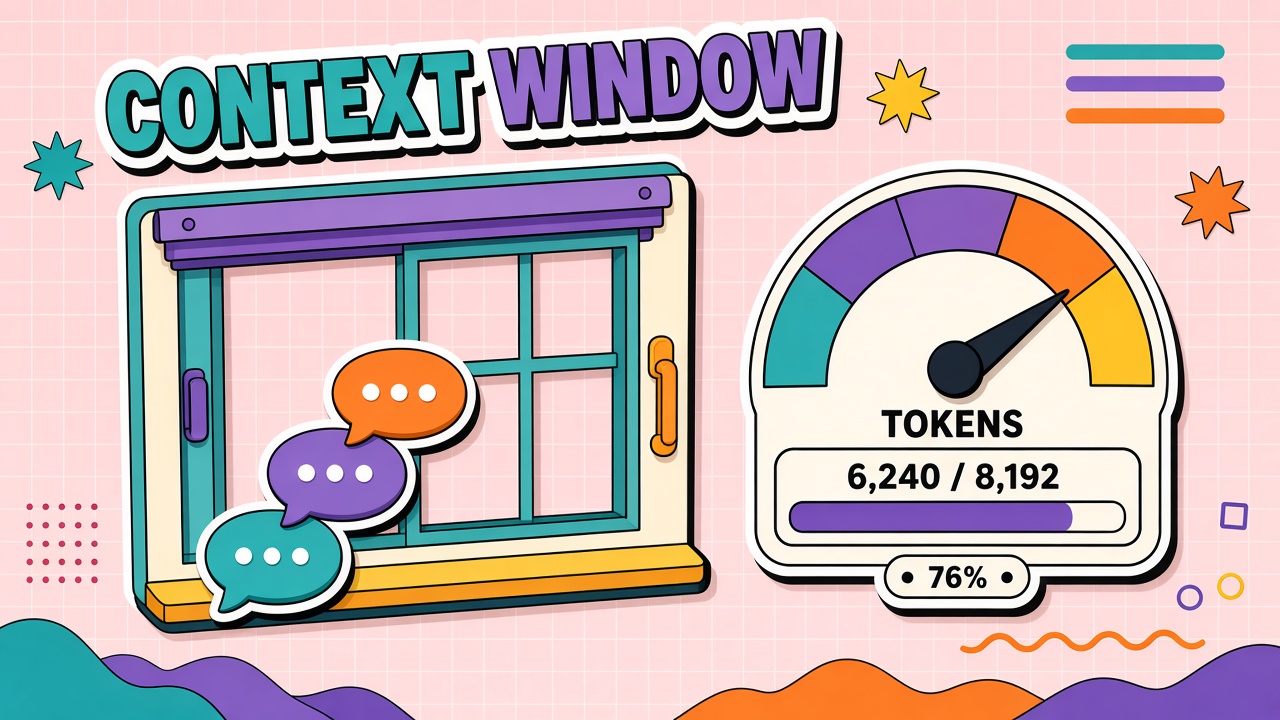
A context window is the maximum number of tokens a model can attend to in a single inference pass, including system instructions, chat history, uploaded files, tool outputs, and the response being generated. This guide defines context windows with real examples, lists what counts toward the limit, explains truncation and summarization strategies, covers long-context model tradeoffs, and offers prompt structuring tips. Users of AI chatbots and AI writing tools should understand context limits before trusting long-thread continuity.
What Is a Context Window?
The context window is shared memory for one model call. Unlike human long-term memory, it resets or shrinks based on product design when conversations grow. Advertised sizes (32K, 128K, 1M tokens) describe architectural capacity, not guaranteed comprehension across every token position.
Research on long-context models shows a "lost in the middle" effect: accuracy drops when relevant information sits in the center of a long prompt, even when that information is present. Effective usable context is often smaller than the marketed maximum, especially for tasks requiring precise recall of details buried in lengthy inputs.
What Counts: Messages, Files, and Tool Outputs
| Input type | Counts toward window? | Notes |
|---|---|---|
| System / developer instructions | Yes | Hidden prompts still consume tokens every turn |
| User and assistant messages | Yes | Full thread often resent on each API call |
| Uploaded PDFs and images | Yes | Images use vision tokens; PDFs may extract to text plus layout |
| RAG retrieved chunks | Yes | Top-k chunks compete with history for space |
| Tool definitions and results | Yes | Large JSON tool outputs inflate context fast |
| Model response (output) | Yes | Input plus output must fit together |
Truncation and Summarization Strategies
When context exceeds the window, products respond differently. Some APIs return errors. Others drop oldest messages silently. Chat UIs may summarize earlier turns into a compact block. None of these behaviors are universal; read your vendor's documentation.
How products stretch effective memory
- Sliding window: Keep only the last N messages; discard the rest.
- Turn summarization: Compress old messages into a paragraph at the start of context.
- External memory: Store facts in a database; retrieve relevant snippets per turn (not true infinite context).
- RAG per query: Re-fetch documents instead of keeping full files in thread history.
- Split calls: Process document halves separately, then reconcile in a final call.
Long-Context Models: Benefits and Costs
Models advertising 200K, 1M, or larger windows enable whole-repo analysis, long legal contracts, and extended multi-agent traces. Benefits are real for workflows that genuinely need contiguous text. Costs include higher per-token pricing on some tiers, increased latency, and the middle-attention degradation research documents.
Before paying for long-context tiers, test whether chunking plus retrieval solves the task at lower cost. Many "analyze this 500-page PDF" jobs work better with targeted retrieval than with stuffing the entire file into one prompt.
How to Structure Prompts Within Limits
- Place critical constraints at the start and restate them at the end of long prompts.
- Reserve 15 to 25 percent of the window for the model's answer.
- Remove boilerplate from repeated system messages; use prompt caching where supported.
- Attach only relevant file sections, not entire repositories.
- Start new threads for unrelated tasks instead of one megathread.
- Log token usage per request to catch context creep before users complain.
Frequently Asked Questions
Is context window the same as memory?
No. Context window is per-request working memory. Product "memory" features usually persist selected facts in external storage and inject them into prompts later. That persistence is engineered, not an unlimited context window.
Do any AI tools have infinite memory?
No model has unlimited context. Products may simulate continuity through summarization, retrieval, and user-specific memory stores. Ask what gets stored, for how long, and whether you can delete it.
Does context carry across sessions?
Only if the product explicitly saves and reloads history or memory. Closing a tab does not automatically preserve context unless the vendor stores threads server-side.
Why did the model forget my instruction?
The instruction may have been truncated from history, buried in the middle of a long context where attention weakens, or overridden by a later conflicting message. Restate critical rules in the latest user message.
Should I upgrade for a larger context window?
Upgrade when retrieval and summarization fail on your eval set and your workload requires single-pass analysis of contiguous long documents. Otherwise you may pay more for little gain.
The Bottom Line
Context windows cap how much text a model sees per request. System prompts, history, files, tools, and output all share the budget. Long-context models help but do not eliminate attention limits or cost. Structure prompts deliberately, summarize or retrieve instead of hoarding tokens, and test on your longest real threads. Compare AI chatbot and AI writing tools on EliteAI.tools with context limits and truncation policies in mind.