
What is Scrnify?
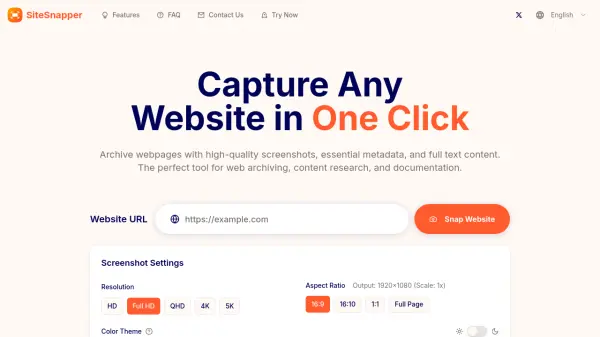
Scrnify offers a sophisticated web capture solution that generates high-resolution screenshots and video recordings of any website. The service utilizes headless browser technology to ensure pixel-perfect results, capturing full-page content including dynamic elements and lazy-loaded components. Users can customize various parameters such as resolution, format, and device type to achieve optimal results for their specific needs.
The platform provides both a web interface for manual captures and a comprehensive API for automated integration into workflows. With a focus on reliability and speed, Scrnify delivers captures within seconds while maintaining 24/7 availability. The service supports multiple image formats including PNG, JPEG, and WebP, as well as video formats like MP4, GIF, and WebM for up to 60-second recordings.
Features
- High-Quality Captures: Pixel-perfect screenshots and video captures with support for various resolutions and formats
- Full-Page Capture: Automatically captures entire webpages including content that requires scrolling
- API Integration: RESTful API for seamless integration into applications and automated workflows
- Fast Processing: Delivers captures within seconds with optimized infrastructure
- Customizable Options: Adjustable settings for viewport size, device type, and output format
- No-Code Integrations: Compatible with popular no-code platforms like Make, n8n, Airtable, and NocoDB
Use Cases
- Website documentation and archiving
- Visual testing for web development
- Content creation for marketing materials
- Monitoring website changes and updates
- Generating thumbnails for web content
- Creating visual reports and presentations
- Automated screenshot workflows for business processes
FAQs
-
What formats does Scrnify support for captures?
Scrnify supports PNG, JPEG, and WebP formats for images, and MP4, GIF, and WebM formats for video captures. -
Is there a limit to how many screenshots I can capture per month?
There are no monthly limits on captures. Scrnify uses a pay-as-you-go model where you only pay for what you use, allowing you to scale up or down based on your needs. -
What is the maximum resolution supported for screenshots?
Scrnify has no resolution limits. You can capture screenshots at any resolution, from standard sizes to custom dimensions. -
How can I automate screenshot captures?
You can automate screenshots using the API with scheduled tasks, batch processing, webhooks, or by integrating with automation tools and programming languages. -
What happens during the open beta period?
During the open beta, all services are completely free. The usage-based pricing will take effect after the beta period ends.