What is Sharewell?
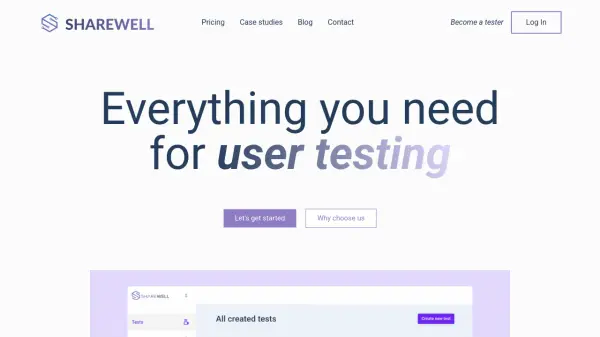
Sharewell is a user testing platform designed for businesses that want to collect direct feedback from their target audience before launching new products or services. By offering both unmoderated and interview-based testing, the platform allows users to set up tests quickly, select participants based on demographic filters, and capture video, screen, and audio recordings. Automated transcriptions and comprehensive analytics streamline result analysis, enabling precise identification of user pain points and areas for improvement.
Leveraging a fully remote environment, Sharewell saves teams time and resources by eliminating the need for on-site focus groups. Companies can run mobile and desktop usability tests, watch or share recorded sessions, and create structured reports based on real user behavior. This approach supports user-centered design, drives higher conversion rates, and ensures products better meet customer needs.
Features
- Easy Test Creation: Set up user tests and scheduling within minutes.
- Participant Filtering: Select users based on demographics like gender, age, location, and more.
- Unmoderated Video Testing: Record screen, webcam, and audio of participant sessions.
- Automated Transcriptions: Generate written records of all test sessions automatically.
- Live Interview Support: Conduct and record face-to-face remote interviews.
- Mobile Testing: Run usability tests on mobile devices as well as desktops.
- Result Analysis Tools: Analyze and report on test results efficiently.
Use Cases
- Conduct usability testing for new web or mobile app prototypes.
- Gather user feedback on product design before development.
- Validate product features by observing real user interactions remotely.
- Analyze user behavior to improve conversion rates.
- Recruit specific user segments for focused UX research.
FAQs
-
What is included in the free plan?
Sharewell's free plan includes the ability to create tests and recruit your own testers at no cost, plus two unmoderated test sessions for free. -
Can I filter participants by demographics?
Yes, you can select test users based on various demographic criteria such as gender, age, location, education, working industry, and salary range. -
Is mobile testing supported?
Yes, Sharewell supports mobile usability testing in addition to desktop testing. -
What recordings are available from user tests?
You can receive screen, webcam, and audio recordings of participant test sessions, along with automated transcriptions. -
How quickly can I expect results?
You can receive the first results from unmoderated sessions within 12 hours.