What is Rabid Cleaner?
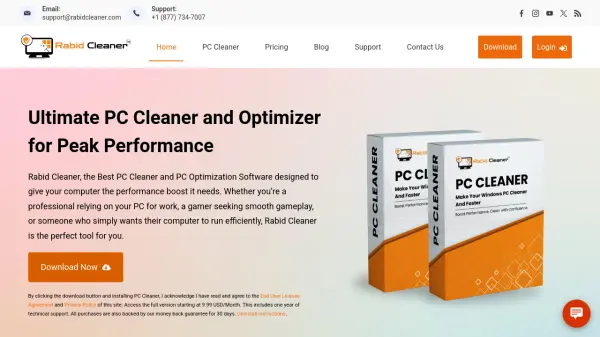
Rabid Cleaner is a PC optimization software designed to improve computer performance by removing unnecessary clutter and optimizing system resources. It efficiently identifies and eliminates file fragments, temporary files, browser cookies, and other junk data that can slow down a PC. The tool also cleans the registry, manages startup programs, and frees up disk space to enhance overall system efficiency.
Developed by an established software company, Rabid Cleaner offers a user-friendly interface that automates performance-boosting tasks. It helps resolve common issues like sluggish performance, frequent crashes, and limited storage space, providing a safer and smoother computing experience for both novice and experienced users.
Features
- Registry Cleaning: Cleans up the registry by detecting errors, invalid entries, and obsolete data
- Performance Boosting: Speeds up PC performance and improves startup time by managing resources
- Disk Space Management: Frees up disk space by removing junk files and confidential data
- Software Uninstallation: Performs clean uninstalls of unwanted programs, extensions, and toolbars
- System Optimization: Fixes and corrects problems linked to the Windows operating system
Use Cases
- Optimizing a slow Windows PC for better performance
- Cleaning up junk files and temporary data to free disk space
- Improving startup times by managing startup programs
- Removing unwanted software and browser extensions
- Maintaining PC health for gaming and professional work
FAQs
-
What makes Rabid Cleaner Premium effective?
Rabid Cleaner Premium is developed by a trusted software company and uses sophisticated bloatware removal to scan and eliminate unnecessary software, files, and junk data that slow down your PC, with a user-friendly design for easy tuning. -
How can I speed up my Windows PC?
To speed up your Windows PC, scan drives for unwanted files, clean up storage space, uninstall unused programs, limit startup programs, clean the internal drive, and reboot regularly, or use PC optimization software like Rabid Cleaner to automate these tasks. -
How often should I use PC cleaner software?
For optimal performance, run a cleaning session at least once a week, or more frequently if you download files, browse extensively, or install/uninstall programs often, to keep your PC free of clutter and running smoothly. -
Why is my Windows PC so slow?
Common reasons for a slow Windows PC include too many programs running, limited disk space, unnecessary software updates, outdated drivers, and malware, often due to newer software requiring more powerful hardware.