Quill favicon

Quill
Your powerful rich text editor

What is Quill?

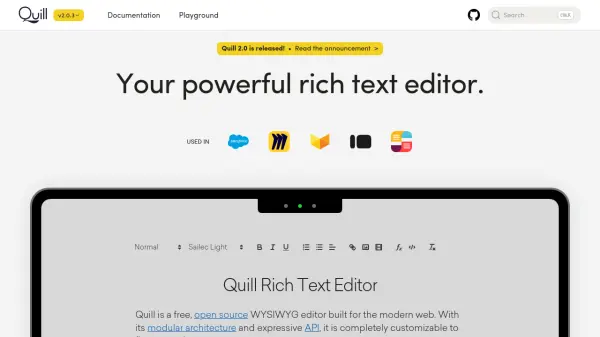
Quill is a powerful rich text editor designed specifically for developers, providing an API-driven approach to content management. It offers granular access to the editor's content, changes, and events through a straightforward API, ensuring consistent and deterministic behavior with JSON as both input and output. This makes it highly reliable for applications requiring precise control over text editing functionalities.

The editor is cross-platform, supporting all modern browsers on desktops, tablets, and phones, delivering the same consistent behavior and produced HTML across different devices. Quill is scalable, used in both small projects and large Fortune 500 companies, allowing developers to start with the core features and easily customize or add extensions as product needs evolve.

Features

  • API-Driven Editor: Granular access to content, changes, and events through a simple API
  • Cross-Platform Support: Works on all modern browsers on desktops, tablets, and phones
  • Consistent JSON Input/Output: Ensures deterministic behavior with JSON as both input and output
  • Scalable Architecture: Used in small projects and large Fortune 500 companies with customizable extensions

Use Cases

  • Developing web applications with rich text editing capabilities
  • Creating content management systems (CMS) with customizable editors
  • Building collaborative editing tools for teams
  • Implementing text editors in educational or business software

Related Tools:

Blogs:

  • Top 6 AI note-taking tools for 2026: in-person, online, and hybrid use cases

    Top 6 AI note-taking tools for 2026: in-person, online, and hybrid use cases

    Most AI note-taking lists are really lists of meeting bots, which join your video call and transcribe it. That's useful, but it's half the picture. Decisions happen in hallway conversations, client dinners, on-site visits, and hybrid rooms where nobody is on a video link. This guide covers different parts of the note-taking workflow: hardware capture for in-person settings, platform-native tools for online calls, and AI layers for organizing and synthesizing what you've captured. It compares six tools by capture context, workflow fit, pricing, and limitations.

  • Best AI tools for recruiters

    Best AI tools for recruiters

    These tools use advanced algorithms and machine learning to automate tasks such as resume screening, candidate matching, and predictive analytics. By analyzing vast amounts of data quickly and efficiently, AI tools help recruiters make data-driven decisions, save time, and identify the best candidates for open positions.

  • AI thumbnail maker tools

    AI thumbnail maker tools

    Automatically generate visually appealing and optimized thumbnails for various digital content, streamlining the design process and enhancing visual engagement

  • Best AI tools for Room Design

    Best AI tools for Room Design

    Discover cutting-edge AI tools that redefine the art of room design. From layout optimization to aesthetic finesse, these top-tier tools enhance your space to new heights.

Didn't find tool you were looking for?

Be as detailed as possible for better results