
What is QuickReceipts?
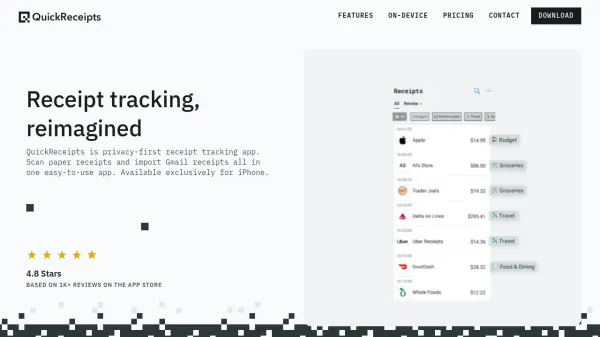
QuickReceipts is a privacy-focused receipt tracking application designed exclusively for iPhone users. The app utilizes on-device processing technology to extract key details from receipts, including vendor information, dates, totals, taxes, and tips. Users can capture paper receipts through scanning or import digital receipts directly from their Gmail inbox without requiring email forwarding.
The application offers organizational features such as tagging, flagging, and note-taking capabilities to help users categorize and manage their receipts efficiently. It provides spending analysis through weekly, monthly, and yearly overviews, enabling users to monitor expenses by vendor or category. The app supports both free and Pro subscription tiers, with Pro offering enhanced features like cloud backups, multi-device access, and increased tag capacity.
Features
- Receipt Scanning: Capture paper receipts using the iPhone camera with on-device processing
- Gmail Integration: Automatically import receipts from Gmail inbox without forwarding emails
- Tagging System: Organize receipts with up to 10 custom tags in free plan, 100 in Pro
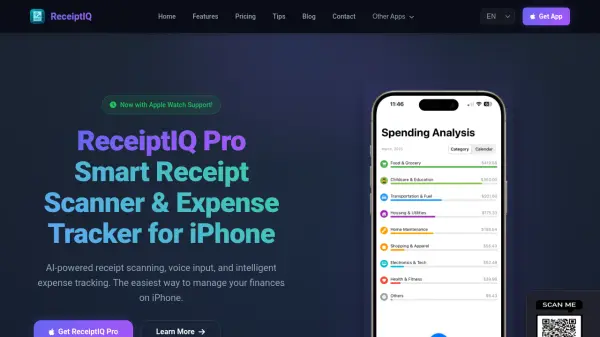
- Spending Analysis: View spending trends by week, month, or year with vendor breakdowns
- Privacy Protection: All processing occurs on-device to ensure data security and privacy
Use Cases
- Personal budgeting and expense tracking
- Tax preparation and documentation
- Business expense management and reimbursement
- Shopping receipt organization and archiving
- Financial reporting and spending analysis
FAQs
-
What happens to my receipts if I cancel my Pro subscription?
Your receipts remain safe on your device. You'll retain access to all data on your iPhone with the free plan, but multi-device sync will no longer be available. -
Is there a limit to how many receipts I can store in the app?
No, both Free and Pro plans include unlimited receipt storage. Free plans are only limited by the storage capacity of your iPhone. -
How do I cancel my subscription to QuickReceipts Pro?
You can cancel anytime by going to Settings → Manage Plan → Cancel Subscription. You'll retain Pro features until the end of your billing period. -
Will my free plan receipts transfer if I upgrade to Pro?
Yes, when you upgrade to Pro, all existing receipts, tags, and folders transfer automatically without any data loss.