What is Provide Support?
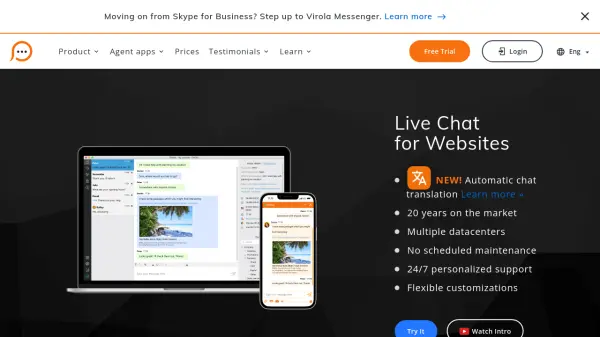
Provide Support enables businesses to communicate directly with website visitors through a robust live chat widget, supported across desktop, mobile, and browser platforms. Its cross-platform solutions offer easy integration with popular website platforms like Magento, Shopify, Wix, WordPress, and Joomla, enabling customer service teams to respond in real time from anywhere.
The service emphasizes security, employing advanced encryption for chat conversations and transmissions. It features unlimited domain support, proactive chat invitations, IP blocking for abusive users, customizable pre-chat surveys, and comprehensive agent performance statistics. Flexible subscription options, dedicated 24/7 support, and a 30-day money-back guarantee make it a reliable choice for global organizations seeking to elevate their customer communication.
Features
- Cross-Platform Agent Apps: Available for Windows, macOS, Linux, iOS, Android, and web browsers
- Automatic Chat Translation: Supports 41 languages in the live chat window
- Secure Chat: Advanced encryption for chats, transcripts, and offline messages
- Unlimited Domains: Use a single account to manage live chat across multiple domains
- Proactive Chat Invitations: Send invitations or deploy attention-grabbing bubbles to connect with visitors
- Custom Pre-Chat Surveys: Add custom fields and dropdowns or skip surveys for immediate chat
- Comprehensive Analytics: Agent performance statistics and website visitor tracking
- IP Blocking: Block individual IPs, ranges, or filter by regions for abusive visitors
- Easy Integration: Compatible with Shopify, WordPress, Magento, Wix, Joomla, and others
- Mobile Agent Apps: Support agents on the go via Android and iOS applications
Use Cases
- Providing instant customer support on business websites
- Assisting e-commerce shoppers in real time to reduce cart abandonment
- Offering multilingual chat assistance for global audiences
- Monitoring website visitor activity and pre-qualifying leads
- Gathering customer feedback and inquiries through customizable pre-chat surveys
- Blocking abusive visitors to maintain a safe chat environment
- Enabling remote support teams to respond to customer queries from any device
FAQs
-
Is the free trial fully functional?
Yes, all live chat features are available during the free trial with no feature limitations. -
How can I add the chat widget to my website?
Simply insert the provided chat button code into your website source; integration tutorials are available. -
Is the connection and data transmission secure?
All chat communications, transcripts, and offline messages use advanced encryption, and secure connections are enabled by default. -
Can the live chat be integrated with multiple websites?
Yes, an unlimited number of domains can be connected at no additional cost. -
Are there any hidden costs with the service?
No, all features are included in any payment plan and there are no hidden fees.