Pix Me! Studio favicon

Pix Me! Studio
Transform Your Photos into Pixel-Art Polaroids

What is Pix Me! Studio?

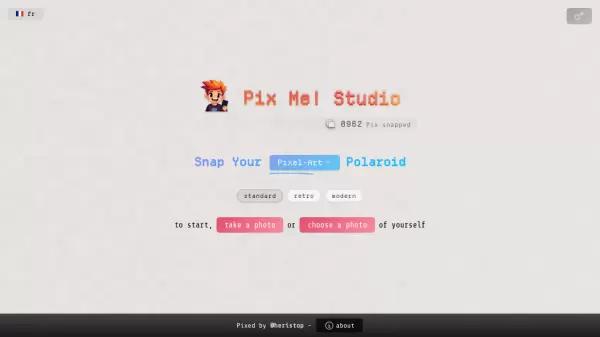
Pix Me! Studio is an innovative online platform that specializes in transforming ordinary photographs into pixel-art styled polaroid images. The tool combines the nostalgic charm of instant photography with the distinctive aesthetic of pixel art to create unique digital memorabilia.

The platform offers a straightforward and user-friendly interface where users can either take a new photo directly through their device's camera or upload an existing image from their gallery. Each photo is then automatically processed and converted into a pixelated polaroid-style format.

Features

  • Real-time Photo Capture: Take photos directly through the platform
  • Image Upload: Import existing photos from your device
  • Pixel Art Conversion: Automatic transformation of photos into pixel art style
  • Polaroid Frame: Adds classic polaroid-style framing to images

Use Cases

  • Creating unique social media profile pictures
  • Making retro-style digital art
  • Designing gaming avatars
  • Creating nostalgic digital memorabilia
  • Generating artistic photo alternatives

FAQs

  • What file formats are supported for photo upload?
    The tool accepts common image formats like JPG, PNG, and JPEG for upload and conversion.

Related Queries

Helpful for people in the following professions

Related Tools:

Blogs:

  • Top 6 AI note-taking tools for 2026: in-person, online, and hybrid use cases

    Top 6 AI note-taking tools for 2026: in-person, online, and hybrid use cases

    Most AI note-taking lists are really lists of meeting bots, which join your video call and transcribe it. That's useful, but it's half the picture. Decisions happen in hallway conversations, client dinners, on-site visits, and hybrid rooms where nobody is on a video link. This guide covers different parts of the note-taking workflow: hardware capture for in-person settings, platform-native tools for online calls, and AI layers for organizing and synthesizing what you've captured. It compares six tools by capture context, workflow fit, pricing, and limitations.

  • Top AI tools for Teachers

    Top AI tools for Teachers

    Explore the top AI tools designed for teachers, revolutionizing the education landscape. These innovative tools leverage artificial intelligence to enhance teaching efficiency, personalize learning experiences, automate administrative tasks, and provide valuable insights, empowering educators to create engaging and effective educational environments.

  • Best AI Tools For Startups

    Best AI Tools For Startups

    we've compiled a straightforward list of user-friendly AI tools designed to give startups a boost. Discover practical solutions to streamline everyday tasks, enhance productivity, and gain valuable insights without the need for a tech expert. Learn where and how these tools can be applied in your startup journey, from automating repetitive tasks to unlocking powerful data analysis. Join us as we explore the features that make these AI tools accessible and beneficial for startups in various industries. Elevate your business with technology that works for you!

Didn't find tool you were looking for?

Be as detailed as possible for better results