What is ImageToPixel.Art?
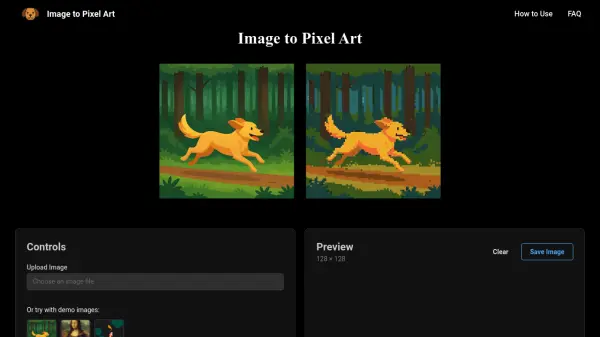
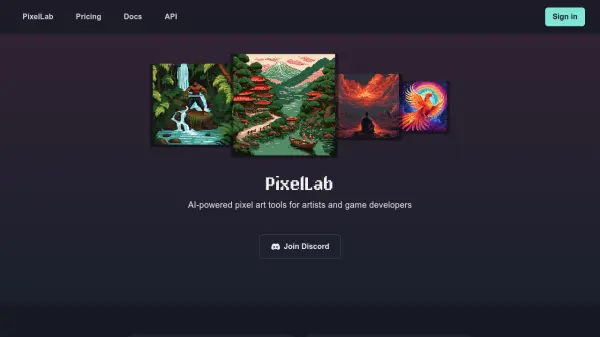
ImageToPixel.Art is an advanced online tool that transforms images into authentic pixel art using intelligent algorithms. The platform simulates hardware-referenced color palettes from classic gaming systems like NES, GameBoy, SNES, and PC-98, ensuring retro-accurate results. It employs edge-aware downscaling to preserve silhouettes and adaptive dithering techniques including Bayer and Floyd-Steinberg algorithms for smooth color transitions.
The tool offers extensive customization options including pixel size adjustment, color palette reduction, and post-processing effects like CRT masks, scanlines, and bloom. Users can export results in high-quality PNG format with transparency support, making it suitable for game sprites, social media content, and artistic projects. The interface provides real-time previews and JSON-exportable presets for professional workflows.
Features
- Instant Transformation: Convert images to pixel art in seconds with real-time preview
- Authentic Retro Palettes: Hardware-referenced color LUTs for NES, GameBoy, SNES, and other classic systems
- Adaptive Dithering: Blend of Bayer, Floyd-Steinberg, and blue-noise matrices for texture control
- Multiple Style Presets: Game style presets including NES, GameBoy, CGA, VGA, and modern classics
- Advanced Customization: Control pixel size, color palette count, brightness, contrast, and post-processing effects
- Transparency Support: Alpha threshold management for creating sprites with transparent backgrounds
- High-Quality Export: Download results in PNG format with professional-grade quality
- Real-Time Preview: See changes instantly as you adjust settings and presets
Use Cases
- Creating game sprites and assets for indie game development
- Generating retro-style branding materials for marketing campaigns
- Producing unique social media avatars and profile pictures
- Converting photographs to pixel art for artistic projects
- Creating educational demonstrations of color theory and dithering techniques
- Developing placeholder assets for game jams and prototyping
- Transforming logos and graphics into pixel art versions
- Producing retro-inspired merchandise designs
FAQs
-
What image formats are supported for conversion?
The tool supports common image formats including JPG and PNG for conversion to pixel art. -
Can I adjust the level of detail in my pixel art?
Yes, you can control pixel size to create more detailed or abstract results based on your preferences. -
Are there any limitations on the number of conversions?
No, the tool is completely free with unlimited conversions and no registration required. -
Can I save my customization settings for future use?
Yes, the platform offers JSON-exportable presets that allow you to save and reuse your customization settings. -
Is the tool suitable for professional game development?
Yes, with hardware-accurate palettes, transparency support, and professional-grade exports, it's suitable for indie game development and prototyping.