What is PixelOver?
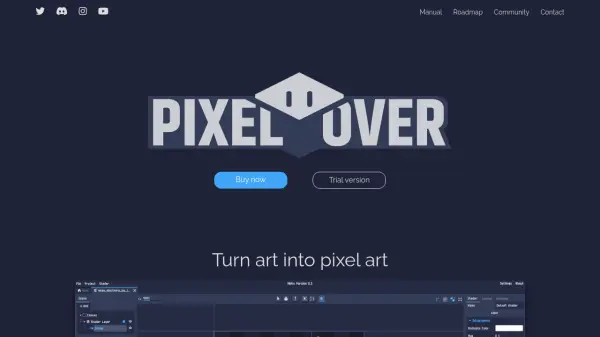
PixelOver is a software designed to convert various forms of art into pixel art with precision and efficiency. It offers tools for pixelating and animating images and 3D models, ensuring transformations remain pixel-perfect during rescaling, rotation, or deformation. The software supports real-time color adjustments, palette management, and effects like dithering and lines to enhance visual quality.
Users can create animations using spritesheets, GIFs, or imported images, with features for bone animation and key animation systems. It includes multi-layer support, parent-child grouping, and cross-project copy/paste functionality. PixelOver is available for Windows, macOS, and Linux, providing a one-time purchase with free updates and a trial version for testing.
Features
- Color and Effects: Real-time color adjustment, palette management, pixel-perfect lines, and dithering effects
- Scene and Transformation: Pixel-perfect rescaling, rotation, deformation, parent-child grouping, and cross-project copy/paste
- Animations: Import spritesheets, GIFs, or images for animation, bone animation, and key animation with easing functions
- 3D Support: Import 3D models, change camera presets, and auto-rotate for export in multiple directions
Use Cases
- Creating pixel art from digital illustrations
- Animating sprites for video games
- Transforming 3D models into pixelated assets
- Designing pixel-perfect graphics for retro-style projects
FAQs
-
What platforms does PixelOver support?
PixelOver is available for Windows, macOS, and Linux operating systems. -
Is there a free trial available?
Yes, a free demo version is available that allows saving projects but not exporting results. -
Does PixelOver include future updates?
Yes, purchasing PixelOver includes all future updates for free. -
Where can I purchase PixelOver?
PixelOver can be purchased on Itch.io or Steam, with a one-time payment of $29.99. -
What features are included in the current version?
Features include pixel-perfect transformations, real-time color adjustment, animation systems, 3D model support, and multi-layer management.