PictoPocket favicon

PictoPocket
Memories, Reimagined. A new home for your photos.

What is PictoPocket?

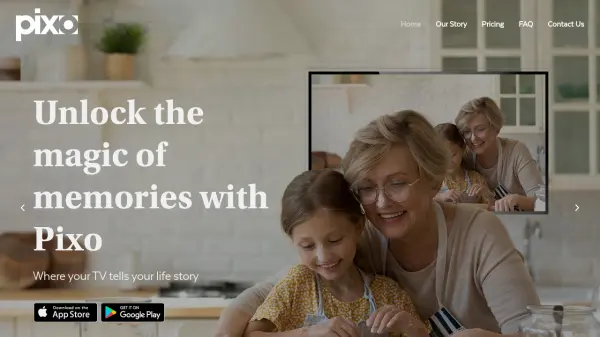
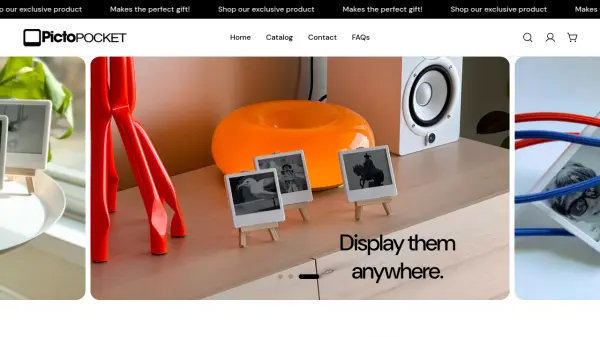
PictoPocket is a digital E-Ink frame designed to bring photos from a smartphone into the physical world. It features an ultra-low power e-ink display with a battery life of over four years, and it operates without requiring cloud storage or user accounts. The device is magnetic, allowing it to be placed on surfaces like refrigerators, and it is handcrafted in San Francisco.

Users can upload photos to the frame using the free PictoPocket app for iOS and Android, changing the image as many times as desired. The app uses Bluetooth to transfer images locally, ensuring privacy and offline functionality. This makes it a simple and elegant solution for sharing memories in everyday spaces.

Features

  • Customizable Display: Change the picture as many times as you want using the PictoPocket app
  • Magnetic Design: The back has a magnet so it can stick to surfaces like a fridge
  • Ultra Low Power E-Ink Screen: Lasts up to 4+ years with the built-in battery and uses no power once the image is exposed
  • Cloud-Free Operation: No account needed and works offline with local Bluetooth transfer
  • Free Mobile App: Available for iOS and Android to upload photos easily

Use Cases

  • Displaying family photos in a home
  • Showing pet pictures on a refrigerator
  • Creating holiday ornaments with custom images
  • Sharing memories as gifts
  • Decorating spaces with rotating digital art

Related Tools:

Blogs:

  • Long Videos into Viral Shorts

    Long Videos into Viral Shorts

    Klap.app is an AI-powered video editing tool that transforms long-form videos into engaging short clips optimized for platforms like TikTok, Instagram Reels, and YouTube Shorts

  • Chat with PDF AI Tools

    Chat with PDF AI Tools

    Easily interact with your PDF documents using our advanced AI-powered tool. Whether you're reading lengthy reports, research papers, contracts, or eBooks, our platform lets you chat directly with your PDF files, ask questions, extract insights, and get summaries in real-time.

  • Top 6 AI note-taking tools for 2026: in-person, online, and hybrid use cases

    Top 6 AI note-taking tools for 2026: in-person, online, and hybrid use cases

    Most AI note-taking lists are really lists of meeting bots, which join your video call and transcribe it. That's useful, but it's half the picture. Decisions happen in hallway conversations, client dinners, on-site visits, and hybrid rooms where nobody is on a video link. This guide covers different parts of the note-taking workflow: hardware capture for in-person settings, platform-native tools for online calls, and AI layers for organizing and synthesizing what you've captured. It compares six tools by capture context, workflow fit, pricing, and limitations.

  • Ghibli Art Generator AI tools

    Ghibli Art Generator AI tools

    List of the best AI tools to turn your photos into images that look like Studio Ghibli movies. Easy to use and fun for everyone.

Didn't find tool you were looking for?

Be as detailed as possible for better results