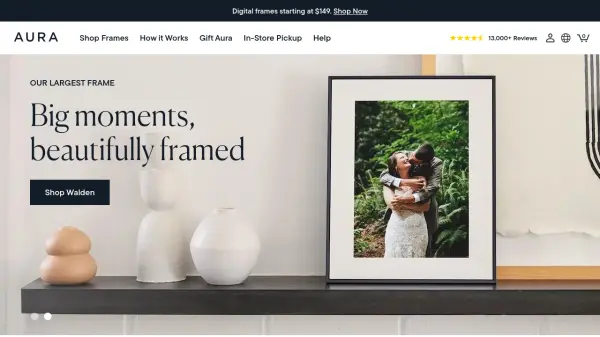
What is Aura Frames?
Aura Frames provides high-quality digital photo frames that transform how people share and display their memories. These frames connect to WiFi and sync with a free mobile app, allowing users to upload unlimited photos and videos directly from their smartphones. The frames feature color-calibrated displays that automatically adjust to room lighting, with options for both LCD and e-paper technology.
The system enables real-time photo sharing with family and friends, supports multiple frames from a single account, and includes features like automatic brightness adjustment, touch controls, and secure cloud storage. With no subscription fees required, Aura Frames offers a permanent solution for digital photo display that combines elegant design with practical functionality.
Features
- Unlimited Cloud Storage: Free, secure storage for all photos and videos with no subscription required
- WiFi Connectivity: Connects frames to the internet for real-time photo updates and sharing
- Companion Mobile App: Free app for uploading, organizing, and sharing content to frames
- Automatic Display Adjustment: Color-calibrated screens that adapt to room lighting conditions
- Multi-Frame Support: Manage and send content to multiple frames from a single account
- Family Sharing: Invite others to contribute photos directly to shared frames
- No Subscription Model: One-time purchase with all features included at no ongoing cost
Use Cases
- Displaying family photos in living spaces
- Sharing baby photos with grandparents remotely
- Creating digital photo albums for special occasions
- Gifting memorable moments to loved ones
- Showcasing travel photos in home decor
- Keeping connected with distant family members
- Displaying artwork or professional photography
FAQs
-
How do I set up an Aura Frame?
Plug in the frame, download the free Aura app, and connect the frame to your WiFi network for a quick one-minute setup. -
Is there a monthly subscription fee?
No, Aura Frames has no subscription fees and includes unlimited photo and video uploads at no additional cost. -
Can multiple people add photos to the same frame?
Yes, you can invite family and friends to share their photos directly to your frame through the app. -
What types of displays are available?
Aura offers both LCD displays with anti-glare technology and e-paper displays that look like traditional printed photos. -
How are photos stored and secured?
All uploads are stored securely on Aura's cloud servers with regular software updates to maintain security and functionality.