What is OPTIMIK?
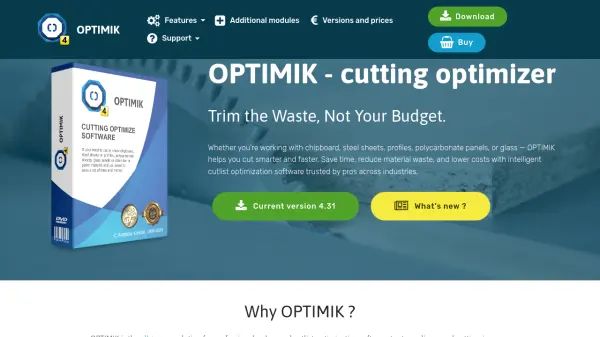
OPTIMIK is a comprehensive cutlist optimization software designed for professionals across multiple industries. It helps users generate precise cutting plans for materials such as chipboard, MDF, plywood, glass panes, steel sheets, and aluminum profiles. The software streamlines panel cutting, improves production planning, and reduces material waste through intelligent layout planning and automated cutting diagrams.
With features including CNC export, customizable GUI, and support for multilanguage environments, OPTIMIK adapts to both small workshops and large-scale production facilities. The software offers advanced modules like the Cutting Plan Editor, Group Editor, Automatic Mode, and specialized assistants for cutting and edging, providing full control over layout precision and production guidance.
Features
- Cutting Plan Editor: Full control over layout precision and editing capabilities
- Group Editor: Organize and manage part grouping for efficient production
- Automatic Mode: Generate optimized cutting plans automatically with minimal input
- CNC Export: Export cutting diagrams directly to CNC machines for automated production
- Cutting Assistant: Step-by-step guidance for cutting operations and optimization
- Edging Assistant: Specialized tools for managing edge treatments and material deductions
- Customizable GUI: Modern, user-friendly interface with skinning options for personalized experience
- Multilanguage Support: Ideal for international teams and global manufacturing operations
Use Cases
- Optimizing panel cutting for furniture manufacturing
- Reducing material waste in cabinet making operations
- Planning efficient glass pane cutting for fabrication
- Streamlining steel sheet cutting in industrial production
- Managing aluminum profile cutting for construction projects
- Improving production planning for polycarbonate panel fabrication
- Creating cutting plans for MDF and plywood materials
- Generating CNC-ready cutting diagrams for automated manufacturing
FAQs
-
What materials can OPTIMIK optimize cutting plans for?
OPTIMIK supports optimization for chipboard, MDF, plywood, glass panes, steel sheets, aluminum profiles, polycarbonate panels, and various other materials used in manufacturing and fabrication. -
Is there a free version of OPTIMIK available?
Yes, OPTIMIK offers a free version that allows users to create optimized cutting plans with up to 30 individual parts per plan, with no time restrictions or registration required. -
What are the purchasing options for OPTIMIK?
OPTIMIK offers both perpetual licenses (one-time purchase) and subscription plans, allowing users to choose the option that best fits their needs and budget. -
Does OPTIMIK support international teams?
Yes, OPTIMIK features multilanguage support and is designed to work well for international teams and global manufacturing operations. -
What industries commonly use OPTIMIK?
OPTIMIK is trusted by furniture manufacturers, cabinet makers, glass fabricators, industrial producers, and various other professionals working with panel materials across multiple industries.