What is CutMaster 2D?
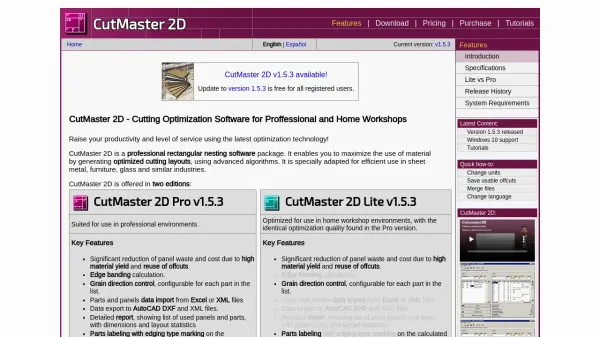
CutMaster 2D is a professional rectangular nesting software package that maximizes material utilization through advanced optimization algorithms. It is specially adapted for efficient use in sheet metal, furniture, glass, and similar industries. The software enables significant reduction of panel waste and cost by generating optimized cutting layouts and reusing offcuts.
CutMaster 2D is offered in two editions: Pro and Lite. The Pro edition is suited for professional environments, while the Lite edition is optimized for home workshop environments, offering identical optimization quality. Key features include edge banding calculation, grain direction control, data import from Excel or XML, and export to AutoCAD DXF and XML. The software also provides detailed reports, parts labeling, and customizable label printing.
Features
- Optimized Cutting Layouts: Advanced algorithms generate nesting patterns to maximize material yield.
- Edge Banding Calculation: Automatically calculates edge banding for parts.
- Grain Direction Control: Configurable grain direction for each part.
- Data Import: Import parts and panels from Excel or XML files.
- Data Export: Export layouts to AutoCAD DXF and XML formats.
- Detailed Reports: Generate reports listing used panels, parts, dimensions, and layout statistics.
- Parts Labeling: Mark edging types on calculated layouts.
- Easy Data Input: Enter data via keyboard, Excel, XML, or CutMaster 2D data files.
Use Cases
- Optimize sheet metal cutting layouts to reduce waste.
- Plan furniture panel cutting for maximum material efficiency.
- Generate efficient glass cutting patterns.
- Reuse offcuts in subsequent projects.
- Create detailed cutting reports for production management.