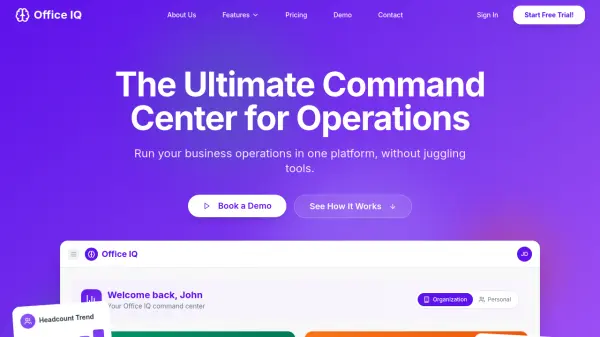
What is Office IQ?
Office IQ serves as a centralized operations command center designed to streamline business workflows by integrating multiple operational functions into a single platform. It eliminates the need for scattered spreadsheets and disconnected tools by providing a connected workspace where documents, vendors, staff, assets, tasks, and agendas are all linked and searchable.
The platform offers automated alerts for expiring contracts, vendor insurance, asset warranties, and compliance deadlines, ensuring teams never miss critical renewals. With real-time visibility across operations, customizable dashboards, and cross-module linking, Office IQ enables efficient oversight and reduces manual tracking efforts for growing organizations.
Features
- Documents: Organize contracts, policies, and agreements with ownership tracking, expiry alerts, and instant search
- Vendors: Manage vendor relationships with compliance monitoring, renewal tracking, and performance insights
- Staff: Maintain staff directories and organizational charts with centralized employee records
- Assets: Track equipment and assets with assignment features and warranty monitoring
- Tasks: Handle task management and scheduling with progress tracking and team alignment
- Agendas: Create meeting agendas and track action items for better team coordination
- Unified Dashboard: Real-time visibility across all operational modules in one interface
- Automated Alerts: Notifications for expiring documents, vendor compliance, and asset warranties
Use Cases
- Employee onboarding and role changes
- Vendor contract and insurance oversight
- Compliance readiness and audit preparation
- Founder and leadership operational visibility
- Incident management and follow-up processes
- Asset issuance and recovery tracking
- Operational change and internal project management
- Multi-site office management across locations
FAQs
-
What is Office IQ and who is it built for?
Office IQ is an operations management platform built for business teams, including small admin teams, growing organizations, and multi-site offices, to streamline workflows and consolidate operational tools. -
How does Office IQ help streamline office operations?
It consolidates documents, vendors, staff, assets, tasks, and agendas into one connected platform with automated alerts, real-time visibility, and cross-module linking to reduce manual tracking and improve efficiency. -
Do I need technical experience to use Office IQ?
No, Office IQ is designed with a simple, intuitive interface for operations teams without requiring technical expertise or IT department involvement. -
What's included in the Everything Plan, and how does pricing work?
The Everything Plan includes all features (documents, vendors, staff, assets, tasks, agendas), unlimited storage, 24/7 support, and monthly updates. Pricing starts at $59.99/month for 2 users with volume discounts available. -
Is my data safe and private with Office IQ?
Yes, Office IQ is hosted securely with no maintenance required from users, ensuring data privacy and protection for operational information.