
What is NoteShot?
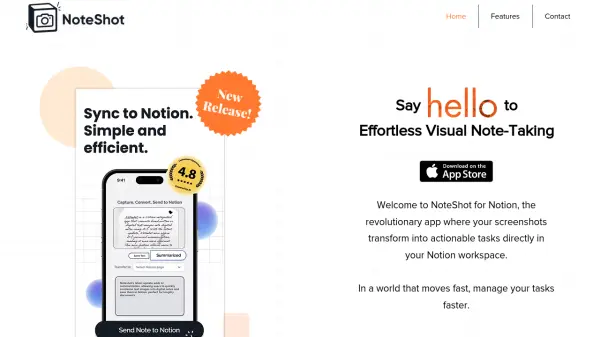
NoteShot for Notion is a revolutionary application designed to convert screenshots into actionable tasks directly within a Notion workspace. It integrates seamlessly with existing Notion accounts to provide a better task management experience, ensuring no task is lost in translation.
The app leverages smart screenshot recognition to identify text requiring action, such as notes, banners, lists, or to-do items. Utilizing ChatGPT, it interprets screenshots and crafts precise task entries, which can be sent to Notion with a single click. Users can customize task routing to specify which Notion task list or project the tasks should land in, ensuring unparalleled organization and efficiency.
Features
- Seamless Integration with Notion: Connect your Notion account effortlessly to work with existing workspaces for better task management.
- Smart Screenshot Recognition: Recognizes text from screenshots, including notes, banners, lists, or to-do items, that needs action.
- AI Powered Intelligent Task Generation: Uses ChatGPT to interpret screenshots and craft precise task entries for Notion.
- Customizable Task Routing: Allows users to specify which Notion task list or project tasks should land in for enhanced organization.
Use Cases
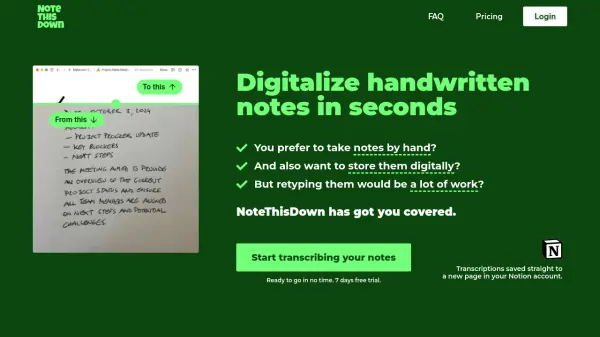
- Converting meeting notes from screenshots into actionable tasks in Notion
- Managing to-do lists captured as images by transforming them into organized tasks
- Streamlining project workflows by routing screenshot-based tasks to specific Notion projects
- Enhancing collaboration by sharing visual notes as tasks in a shared Notion workspace