The same underlying model can reach you as a polished web application or as a documented HTTP endpoint. Vendors rarely explain when each interface makes sense, because both routes generate revenue. Teams discover the mismatch later: a subscription that cannot automate nightly jobs, or an API integration that costs more than hiring a contractor because nobody modeled token volume.
This guide compares AI API vs AI app interfaces on dimensions that matter in production: who does the work, how predictable the bill is, how data flows, and when a hybrid pattern is the pragmatic answer. If you are still mapping the landscape, browse AI API tools for programmatic options and AI automation for products that sit closer to end-user workflows and orchestration.
AI App vs AI API: What Each Interface Actually Gives You
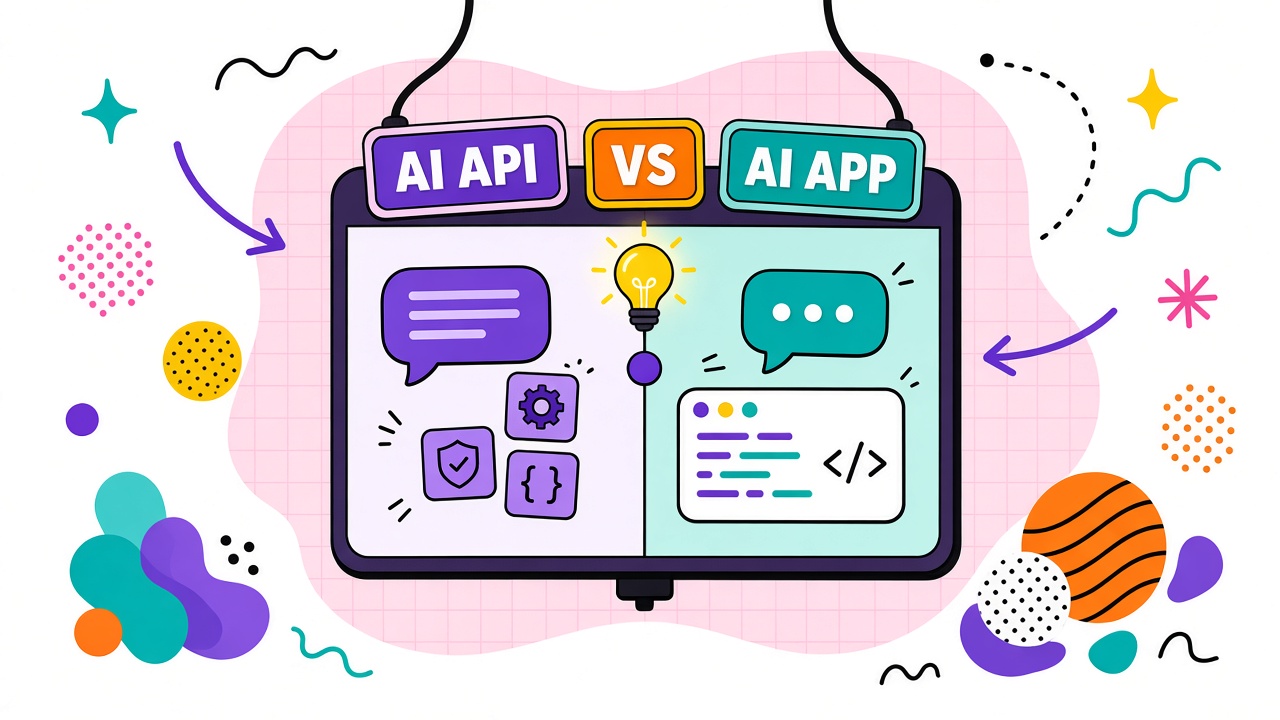
An AI app is a product with a user interface, account system, and opinionated workflow. You log in, upload or type, click buttons, and receive output inside the vendor's environment. The vendor chooses default models, safety filters, export formats, and collaboration features. You pay for convenience and curation.
An AI API exposes model capabilities as programmatic requests. Your application sends structured input (text, images, audio, embeddings) and receives structured output. You own the user experience, retry logic, caching, logging, and compliance boundaries. You pay for usage at scale and accept engineering responsibility.
The distinction is not "technical vs non-technical." Many no-code platforms call APIs behind visual builders. Many engineering teams buy apps for ad hoc tasks because building internal UI is not worth the sprint. The question is whether the value lives in the vendor's workflow or in your product's workflow.
What AI apps optimize for
- Fast time-to-first-output for humans clicking through a UI
- Built-in templates, presets, and guardrails for a specific job (slides, ads, code review)
- Collaboration: shared folders, comments, version history, brand kits
- Vendor-managed model upgrades without your deployment pipeline changing
What APIs optimize for
- Embedding intelligence inside an existing product or internal system
- Batch processing, scheduling, and event-driven triggers
- Custom prompts, tool routing, and retrieval pipelines you control
- Fine-grained metering tied to your own unit economics
Cost Predictability: Subscriptions, Credits, and Per-Token Billing
Apps usually sell predictable monthly plans. APIs usually sell consumption. Neither is inherently cheaper. Misalignment between pricing model and usage pattern is what creates surprise bills.
App pricing strengths: Fixed seats or credit bundles make finance planning easy when usage is human-paced and bursty. A marketing team that generates twenty images a week may prefer a flat plan over calculating tokens.
App pricing weaknesses: Seat-based plans punish large teams that only need occasional access. Credit systems hide effective per-task cost until you exhaust the bundle mid-quarter. Add-on modules (higher resolution, longer context, premium models) can double the real price after adoption.
API pricing strengths: You pay proportional to machine work performed. Low-traffic features stay inexpensive. You can cache, batch, or downgrade models programmatically when margins tighten.
API pricing weaknesses: Token-based bills spike with verbose prompts, long contexts, retries, and multi-step agent loops. Without dashboards and alerts, engineering learns about cost at invoice time. Seasonal traffic can overwhelm a budget that looked safe in staging.
| Cost factor | Typical AI app | Typical AI API |
|---|---|---|
| Billing unit | Seats, monthly credits, feature tiers | Tokens, characters, seconds, requests |
| Forecasting | Easier at low, steady human usage | Easier when you model requests programmatically |
| Spike risk | Hit plan caps; upgrade prompts | Runaway loops, retries, large contexts |
| Hidden costs | Add-ons, extra seats, export fees | Engineering time, observability, failover |
| Best cost control lever | Role limits, approved templates, seat hygiene | Caching, model routing, budgets, request caps |
Before you choose, estimate volume in the unit the vendor bills. For APIs, log prompt and completion tokens in a staging environment for a week. For apps, count realistic weekly tasks per role and check overage rules. A five-minute model beats guessing after the contract is signed.
Data Handling Differences Between Apps and APIs
Both interfaces send data to the vendor unless you run models locally. The difference is where data accumulates, who can see it, and how export and deletion work.
UI history vs application logs
AI apps store prompts, uploads, and outputs in vendor-managed project spaces. That history helps collaboration but expands the compliance surface. APIs may not show a friendly history UI, yet your payloads still traverse vendor infrastructure and may be logged for abuse monitoring. Your application must implement retention and deletion; the API will not do that for you.
Training opt-out and enterprise terms
Consumer app tiers and default API keys often share similar baseline policies, but enterprise agreements frequently attach stricter data use restrictions to API accounts used in production. Do not assume the app plan and API plan inherit identical promises. Read both documents when you run a hybrid setup.
PII and customer content
If end-user data flows through your product, APIs let you redact, tokenize, or route sensitive fields before they reach the model. Apps require humans to exercise judgment on every paste. Automation without guardrails is how customer support tickets end up in a public fine-tuning dataset. Engineering control is the main API advantage for regulated workloads, provided you actually implement that control.
Audit trails
Apps provide activity feeds oriented around human actions. APIs require you to log request IDs, model versions, and latency in your own observability stack. Auditors asking for proof of processing need one coherent story. Hybrid teams sometimes log API request metadata while using an app for human QA, which works only when identifiers link both sides.
Decision Matrix: Which Interface Fits Your Job
Use this matrix as a first pass, not a final verdict. Your constraints may shift one row dramatically, especially compliance or time-to-market.
| Your situation | Lean toward | Why |
|---|---|---|
| Marketing team drafts campaigns weekly | AI app | Templates, collaboration, and UI speed beat custom code |
| Nightly document classification in your SaaS | AI API | Scheduling, batching, and embedded UX require code |
| Prototype in a week, production in a quarter | Hybrid | App for learning; API for scale once workflow is proven |
| Strict data residency and custom redaction | AI API (or self-hosted) | You implement policy gates; apps offer less granular control |
| Non-technical stakeholders need autonomy | AI app | Guardrailed UI reduces reliance on engineering for each tweak |
| Multi-step agents across internal tools | AI API + orchestration | Apps rarely expose every hook your automation needs |
| Unpredictable burst traffic from end users | AI API with limits | Per-request metering and rate limits protect margins |
When two cells conflict, prioritize the constraint you cannot fix later. Compliance and embedding inside your product are usually stickier than UI preferences. Explore AI automation products when you need orchestration without building every connector yourself, and AI API listings when your team is ready to own the integration layer.
Common Mistakes When Choosing Between an App and an API
Teams often pick the interface that matches their job title instead of their workflow. Engineers default to APIs; marketers default to apps. Both can be wrong.
- Building an API wrapper around a task one person does monthly. The app would have been cheaper.
- Buying seats for a workflow that should run unattended at 2 a.m. Humans become the bottleneck.
- Ignoring retry behavior. APIs multiply cost when error handling is naive.
- Assuming the app exports everything the API can do. Premium models and batch endpoints are often API-only.
- Splitting policies. Legal approves the app while engineering routes production traffic through a consumer API key with weaker terms.
Name a single workflow owner who signs off on interface choice, cost model, and data class. Split ownership between departments is how hybrid stacks become ungoverned stacks.
The Hybrid Pattern: Apps for Humans, APIs for Machines
Mature organizations rarely choose exclusively. The hybrid pattern uses AI apps where human judgment, creativity, and collaboration dominate, and APIs where volume, scheduling, or product embedding dominate. The two layers share standards: approved models, prompt templates, evaluation rubrics, and data classification rules.
Example: customer support operations
Tier-one replies that follow strict templates run through an API integrated with the help desk. Complex escalations land in a human-facing app where agents rewrite tone, attach empathy, and approve sends. The API handles scale; the app handles taste and liability. Both paths log to the same ticket ID so QA can audit outcomes.
Example: content pipeline
Strategists brainstorm angles in a writing app with shared brand guidelines. Once angles are approved, an API generates channel-specific variants into a CMS via webhook. Editors still review in the CMS, but they are not clicking "regenerate" fifty times by hand. The app explores; the API manufactures.
Governance for hybrid stacks
- Publish a data classification chart: what may enter apps, APIs, or neither
- Align vendor contracts so app and API tiers share training and retention commitments
- Track spend in one dashboard: seats plus token burn, not two opaque budgets
- Reuse prompt libraries where possible so app experiments promote cleanly to API templates
- Review quarterly: tasks that moved from experimental app use to production API volume
Hybrid is not a compromise born of indecision. Hybrid reflects the reality that human work and machine work have different shapes. The mistake is letting each team pick tools independently without shared rules.
Five Evaluation Steps Before You Commit to App, API, or Both
Run these steps in order. They take less time than unwinding a wrong integration.
- Write the workflow in one sentence including who triggers it and how often.
- Classify the data entering the system and note regulatory requirements.
- Estimate volume in tasks per day and average input size.
- Prototype the happy path in an app if humans dominate; in an API sandbox if software dominates.
- Model cost at 2x expected volume and confirm engineering or ops capacity to support the choice.
If step five fails only at 2x volume, you already know which interface will break first. That is useful information before procurement, not after.
Frequently Asked Questions
Is an API always more flexible than an app?
APIs offer more control over UX and automation, but flexibility also means you must build guardrails the app would have provided. For single-step tasks with heavy UI affordances (video editing, slide design), a specialized app may be more flexible in practice because you are not rebuilding a timeline editor.
Can I start with an app and move to an API later?
Yes, and many teams should. Use the app phase to learn prompt patterns, failure modes, and review criteria. Promote stable workflows to API automation once inputs and outputs are predictable. Document prompts and evaluation rubrics during the app phase so migration is copying logic, not rediscovering it.
Which option is better for small teams without dedicated AI engineers?
Lean toward apps or automation platforms in AI automation until a workflow justifies engineering time. APIs shine when the task repeats at high volume or must live inside your product. Occasional intelligence needs rarely repay custom integration.
Do apps and APIs from the same vendor use the same models?
Often, but not always. Vendors sometimes ship new models to API customers first, or reserve the largest context windows for enterprise API tiers. Conversely, consumer apps may bundle fine-tuned models not exposed on the public API. Compare model cards and version strings, not just brand names.
How do I avoid surprise API bills?
Set per-key budgets, alert at 50% and 80% of monthly spend, cap max tokens per request, log prompt length distributions, and block unbounded agent loops in production. Run load tests with realistic text, not lorem ipsum. Retry policies should use exponential backoff and circuit breakers so a provider outage does not become a thousand duplicate charges.
The Bottom Line
AI apps sell finished workflows for humans. AI APIs sell raw capability for software you already own. Choose apps when collaboration, templates, and speed of individual output matter most. Choose APIs when embedding, scheduling, and programmatic cost control matter most. Choose hybrid when both humans and machines touch the same business process and you are willing to govern them under one data policy.
Interface choice is not a permanent identity. Start where learning is fastest, measure total work time and total cost at realistic volume, then promote proven workflows to the interface that scales. Browse AI API and AI automation categories side by side with the same workflow statement and you will feel quickly which column fits.