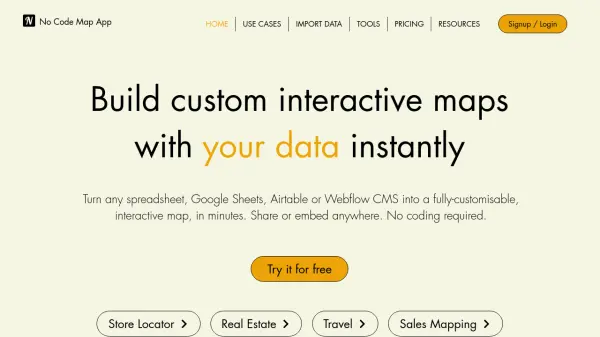
What is No Code Map App?
No Code Map App is an AI-powered platform that enables users to create custom interactive maps quickly and easily without any coding knowledge. It allows users to import data from various sources such as spreadsheets, Google Sheets, Airtable, or Webflow CMS, and automatically maps locations with additional information like custom filters, image galleries, and actionable links. The tool includes an AI Map Styler for intuitive customization using text prompts, along with features for adding boundaries, shapes, and heatmaps through KML files.
The platform supports seamless data integration with automatic sync options, collaboration features for team projects, and the ability to publish maps as standalone pages or embed them on any website. It is designed for a wide range of industries and use cases, including store locators, real estate listings, sales mapping, and event calendars, offering full design control to match branding needs.
Features
- AI Map Styler: Customize map styles using text prompts for intuitive design
- Automatic Data Sync: Sync data from Google Sheets, Airtable, or Webflow CMS in real-time or scheduled intervals
- KML File Support: Upload up to 5 KML files to add boundaries, shapes, and lines to maps
- Heatmap Creation: Add heatmap layers to maps for spatial analysis and visual storytelling
- Team Collaboration: Invite team members to design and build maps together seamlessly
- Embed Anywhere: Share maps as standalone pages or embed them on any website with responsive design
Use Cases
- Store locator for businesses
- Real estate listings map
- Sales mapping and data visualization
- Event calendar with interactive maps
- Team directory with location-based information
- Real-time tracking for assets or personnel
- Emergency response mapping
- Travel itinerary mapping
- Business location networks (e.g., restaurants)
- Open house maps for realtors
FAQs
-
What data sources can I use to create maps?
You can import data from spreadsheets, Google Sheets, Airtable, or Webflow CMS to automatically map locations and additional information. -
How does the AI Map Styler work?
The AI Map Styler allows you to customize map styles using text prompts, making it easy to design maps that match your branding without coding. -
Can I sync data automatically with this tool?
Yes, the tool offers automatic data sync for Google Sheets, Airtable, and Webflow CMS, with options for daily, weekly, bi-weekly, monthly, or real-time sync. -
Is there a free trial available?
Yes, there is a free trial for 7 days with no credit card required, after which you can choose from Pro, Business, or Company plans. -
How can I share or embed my maps?
You can share maps as standalone pages or embed them anywhere on the web by copying and pasting the embed code, with full responsiveness on all devices.