MUI favicon

MUI
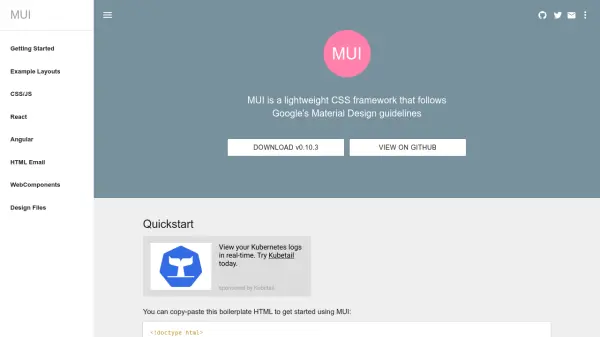
A lightweight CSS framework following Google's Material Design guidelines

What is MUI?

MUI is a lightweight CSS framework designed to implement Google's Material Design guidelines for web development. It provides developers with a set of components that work across various platforms including web, mobile, email, iOS, and Android. The framework emphasizes minimal file sizes to ensure fast page loading times.

The package includes CSS and JavaScript files for web applications, along with specialized libraries for React, Angular, WebComponents, and HTML email development. Developers can customize the framework using SASS files available through GitHub and Bower, allowing adjustments to breakpoints, font settings, and Material Design color schemes.

Features

  • Small Footprint: CSS and JavaScript files are optimized for fast loading with minimal download sizes
  • Cross-Platform Compatibility: Components work across web, mobile, email, iOS, and Android platforms
  • Customizable: Can be customized using SASS files to adjust breakpoints, font settings, and Material Design colors
  • No Dependencies: Works without external dependencies for CSS/JS functionality
  • HTML Email Support: Includes specialized CSS library for HTML email development with inline styling capabilities

Use Cases

  • Building responsive web applications with Material Design aesthetics
  • Creating HTML emails with consistent styling across email clients
  • Developing cross-platform applications for web and mobile
  • Prototyping user interfaces quickly with pre-built components
  • Implementing Material Design in React, Angular, or WebComponents projects

Related Tools:

Blogs:

  • Top 6 AI note-taking tools for 2026: in-person, online, and hybrid use cases

    Top 6 AI note-taking tools for 2026: in-person, online, and hybrid use cases

    Most AI note-taking lists are really lists of meeting bots, which join your video call and transcribe it. That's useful, but it's half the picture. Decisions happen in hallway conversations, client dinners, on-site visits, and hybrid rooms where nobody is on a video link. This guide covers different parts of the note-taking workflow: hardware capture for in-person settings, platform-native tools for online calls, and AI layers for organizing and synthesizing what you've captured. It compares six tools by capture context, workflow fit, pricing, and limitations.

  • Best AI tools for recruiters

    Best AI tools for recruiters

    These tools use advanced algorithms and machine learning to automate tasks such as resume screening, candidate matching, and predictive analytics. By analyzing vast amounts of data quickly and efficiently, AI tools help recruiters make data-driven decisions, save time, and identify the best candidates for open positions.

  • Best AI Tools For Startups

    Best AI Tools For Startups

    we've compiled a straightforward list of user-friendly AI tools designed to give startups a boost. Discover practical solutions to streamline everyday tasks, enhance productivity, and gain valuable insights without the need for a tech expert. Learn where and how these tools can be applied in your startup journey, from automating repetitive tasks to unlocking powerful data analysis. Join us as we explore the features that make these AI tools accessible and beneficial for startups in various industries. Elevate your business with technology that works for you!

Didn't find tool you were looking for?

Be as detailed as possible for better results