What is Meetquo?
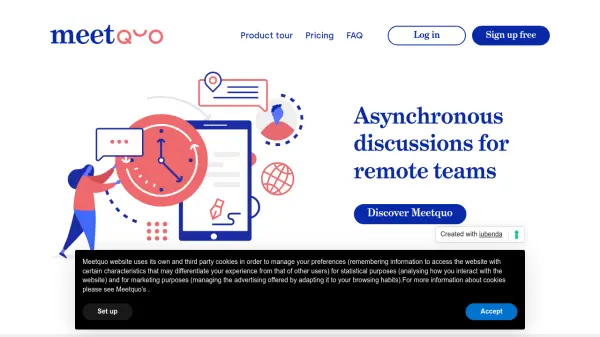
Meetquo is an innovative platform designed for remote teams to facilitate asynchronous discussions, allowing participants to contribute at their own pace and convenience. The platform streamlines decision-making by enabling users to create discussion documents, gather proposals and feedback asynchronously, and finalize outcomes that can be digitally signed by all participants for transparency and accountability.
With Meetquo, teams can avoid the common scheduling headaches associated with real-time meetings and maintain a comprehensive repository of all key decisions. The service supports effective collaboration without the need for simultaneous attendance, making it ideal for globally distributed teams seeking efficient and trackable remote communication.
Features
- Asynchronous Participation: Users contribute to discussions at their own pace across different time zones.
- Discussion Document Control: Set permissions for who can update the main document versus providing suggestions or feedback.
- Digital Signature Collection: Finalize discussions with optional digital signatures for outcome acknowledgment.
- Centralized Decision Repository: Store and track all outcomes from remote team discussions.
- Unlimited Teams (Pro): Manage discussions across multiple teams with premium support.
Use Cases
- Remote team decision-making without scheduling conflicts
- Collecting proposals and feedback asynchronously for project planning
- Documenting and signing off on collaborative business policies
- Creating a transparent record of organizational decisions
- Ensuring full participation and acknowledgment in team agreements
FAQs
-
What is an asynchronous discussion?
An asynchronous discussion is one where participants contribute at different times rather than in real-time, allowing flexibility across time zones or schedules. -
How does Meetquo improve over videoconferencing tools?
Meetquo reduces technical barriers and scheduling headaches by enabling all team members to participate at their convenience, ensuring every voice is heard and all decisions are tracked and acknowledged. -
What is included in the Pro Plan?
The Pro Plan offers unlimited teams and discussions, as well as premium support with responses in less than 12 business hours. -
Is there an enterprise plan for corporations?
Yes, Meetquo offers enterprise plans tailored to specific organizational needs. Interested parties can contact Meetquo's support team for more details.