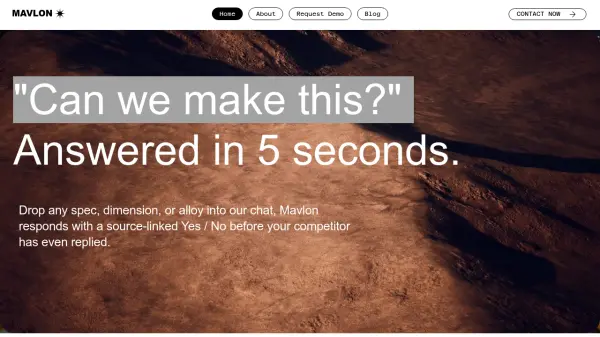
What is Mavlon?
Mavlon revolutionizes custom manufacturing sales with an advanced AI assistant trained on a company's emails, technical drawings, product data, and historic customer interactions. It enables sales teams to get instant, source-linked answers for RFQs and technical queries, eliminating the manual search through disparate data sources and reducing reliance on engineers for routine validations.
By intelligently interpreting requirements such as specs, dimensions, and alloys, Mavlon determines product feasibility, extracts crucial details from PDFs and drawings, and communicates in industry-specific jargon. Its continuous learning from company knowledge ensures not only accurate responses but also faster deal cycles, higher win rates, and streamlined internal collaboration.
Features
- Instant Feasibility Validation: Answers complex RFQs and technical queries within seconds.
- Source-Linked Responses: Provides answers with traceable references to internal data.
- PDF and Drawing Analysis: Extracts dimensions, materials, and specifications from technical documents.
- Continuous Learning: Updates knowledge base with every new email or customer interaction.
- Industry Jargon Understanding: Interprets and communicates using domain-specific language.
- Internal Knowledge Integration: Aggregates data from emails, network drives, ERPs, and tribal knowledge.
Use Cases
- Rapidly validating manufacturing capability for incoming RFQs.
- Empowering sales teams to respond to technical customer inquiries without engineer assistance.
- Onboarding new sales representatives faster with a 24/7 product expert.
- Reducing internal emails and interruptions between sales and engineering teams.
- Increasing deal closure rates by providing immediate, accurate answers to customers.
FAQs
-
How does Mavlon help streamline the sales process in manufacturing?
Mavlon delivers instant, AI-generated answers to complex RFQs and technical queries, enabling sales teams to quickly determine feasibility and respond rapidly without waiting on engineering input. -
What types of internal data does Mavlon use?
Mavlon is trained on company emails, product data, technical drawings, past customer conversations, and other relevant internal documents. -
Can Mavlon interpret industry-specific terms and technical jargon?
Yes, the system is purpose-built to understand and communicate using industry jargon and technical specifications. -
Does Mavlon continuously learn from new data?
Yes, Mavlon updates its knowledge base with every new email or customer interaction, ensuring up-to-date, accurate responses.