A viral video can deliver thousands of comments in 48 hours. Praise, product questions, spam links, and hostile threads all compete for attention while you are filming the next upload. An ai workflow comment moderation creators pipeline triages volume by tier, applies sentiment and spam rules, drafts replies that match your voice guide, and routes harassment or misinformation to human escalation before anything publishes. AI accelerates sorting and first-draft replies; you approve tone, crisis responses, and anything that touches health, legal, or sponsor commitments.
This guide fits YouTubers, newsletter writers, course sellers, and community managers on Instagram, TikTok, and LinkedIn. Pair triage with AI code tools when you build custom moderation dashboards and AI image generator tools only when comment threads reference visual assets you need to verify, not for automated public replies without review.
Comment Volume Tiers and SLAs
Define comment volume tiers (low, medium, high, crisis) with response time targets so your team knows when AI-assisted drafts are enough versus when live moderation is mandatory. A creator posting weekly may see 50 to 200 comments per video; daily posters or live streamers can exceed 5,000 threads across platforms in a single weekend.
- Tier 1 (low): under 100 new comments per day; human or AI draft within 24 hours acceptable.
- Tier 2 (medium): 100 to 1,000 per day; AI triage required, human approval on all public replies.
- Tier 3 (high): 1,000 plus per day; batch processing, pinned FAQ updates, limited reply depth.
- Tier 4 (crisis): harassment campaigns, misinformation spikes, or sponsor backlash; pause auto-replies.
- Document SLA in a one-page playbook shared with moderators and virtual assistants.
| Volume tier | Daily new comments | Target SLA | Moderation mode |
|---|---|---|---|
| Low | Under 100 | 24 hours | Creator or VA with AI drafts |
| Medium | 100 to 1,000 | 4 to 12 hours | AI sort plus human approve |
| High | 1,000 plus | Pin FAQ, selective replies | Queue-based batch review |
| Crisis | Spike or coordinated attack | Immediate human lead | No auto-publish |
Platform APIs differ: YouTube Studio, Instagram comment inbox, TikTok moderation tools, and Discord bots each export threads differently. Centralize exports into a spreadsheet or moderation tool when you cross Tier 2 so AI sorting runs once across sources instead of five separate chats.
Sentiment and Spam Filtering Rules
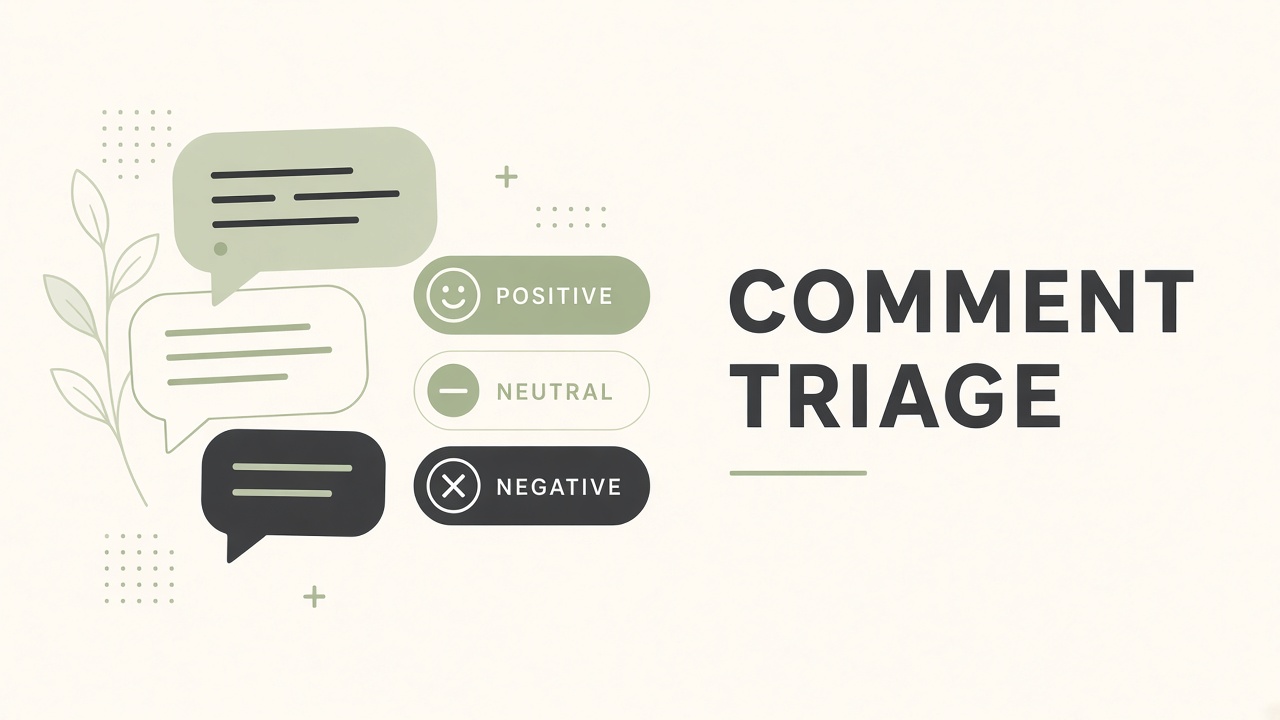
Apply explicit sentiment and spam filtering rules before any reply draft generates, so promotional scams, duplicate bot posts, and off-topic link drops never reach your approval queue as false priorities. Sentiment labels (positive, neutral, question, negative, hostile) are inputs to routing, not automatic actions except for hard spam blocks.
- Hard block: URLs in first comment from accounts under 7 days old, repeated identical text, known scam phrases.
- Soft flag: negative sentiment with product mention (refund risk), medical claims, political keywords in niche channels.
- Question bucket: contains "how," "where," "price," "link," or "?" with account history check.
- Positive bucket: thank-you and success stories for community highlights or testimonial asks.
- Log false positives weekly; tighten rules when legitimate fans get mislabeled.
| Signal | Typical action | Human review |
|---|---|---|
| Crypto or adult spam link | Hide or report, no reply | Spot check 10 percent |
| Genuine product question | Draft reply from FAQ | Approve before post |
| Constructive criticism | Draft empathetic short reply | Creator approves tone |
| Harassment or slurs | Escalate, do not engage | Moderator decision only |
Platform-Specific Spam Patterns
YouTube comment spam often uses fake verification badges and "I made $X" templates; Instagram threads attract DM funnels; TikTok favors emoji-heavy promo accounts. Feed platform examples into your filter prompt library and refresh monthly because scam copy evolves faster than model training data.
Draft Replies Matched to Voice Guide
AI drafts replies only after loading your voice guide: sentence length, humor level, banned phrases, sign-off style, and whether you use emoji or first person plural for brand accounts. The ai workflow comment moderation creators step that protects trust is human approval on every public reply during growth phases, even when drafts look perfect.
- Voice guide doc: 5 sample replies you are proud of, plus 5 you would never post.
- FAQ snippets for pricing, course access, shipping, and "full video link" requests.
- Prompt template: comment text, thread context, sentiment label, max length, CTA rules.
- Generate two variants for nuanced threads; pick one or merge manually.
- Never auto-post replies about refunds, health, legal disputes, or sponsor terms.
| Comment type | Reply pattern | Max length |
|---|---|---|
| Thank you | Warm acknowledgment, optional question back | 1 to 2 sentences |
| How-to question | Direct answer plus link to resource | 2 to 4 sentences |
| Debate or hot take | Acknowledge, clarify your position once | 2 sentences, no pile-on |
| Criticism of edit or audio | Thank feedback, note fix if planned | 1 to 3 sentences |
Pin a community comment when the same question appears dozens of times instead of replying identically under every thread. Update the pinned reply when your offer or link changes so old answers do not contradict new videos.
Escalation for Harassment and Misinformation
Harassment, coordinated brigading, and misinformation about you, your products, or public figures you cover must bypass AI reply drafting and land in a human escalation queue with platform report steps documented. AI should label and summarize threads for the moderator; AI should not negotiate with bad actors or fact-check live in hostile comment wars.
- Escalation triggers: slurs, threats, doxxing hints, false legal claims, impersonation of your brand.
- Misinformation triggers: health cures, financial guarantees attributed to you, fake giveaway links using your name.
- Action menu: hide comment, block user, report to platform, legal consult if credible threat.
- Crisis comms: single approved statement if needed; no reactive reply chains.
- Archive escalated threads with timestamps for pattern detection across videos.
| Escalation type | First responder | AI role |
|---|---|---|
| Personal harassment | Lead moderator or creator | Summarize thread, no reply draft |
| False product claims | Creator or legal counsel | Flag factual errors only |
| Brigade from another channel | Moderator plus platform report | Detect volume spike |
When to Disable or Limit Comments
Temporarily limiting comments on a single video is valid when moderation capacity is exceeded or when topic sensitivity (grief, politics, medical trauma) makes open threads harmful. Announce the policy in the video or description when you restrict comments so the audience understands the boundary is protective, not censorship of legitimate feedback.
Weekly Themes From Recurring Questions
Export recurring question clusters each week so content planning addresses gaps before comment volume repeats the same FAQ under every new upload. AI grouping by semantic similarity surfaces themes like "pricing confusion," "gear list requests," or "timestamp for step three" faster than manual scrolling.
- Friday export: top 20 unanswered or repeated questions from the week.
- Cluster by topic; rank by frequency and revenue impact (pre-sale questions first).
- Feed top cluster into next video outline, pinned comment, or newsletter section.
- Update FAQ doc and voice-guide snippets when you publish the answer once.
- Track whether theme-focused content reduces repeat comments on the following upload.
| Recurring theme | Content response | Moderation shortcut |
|---|---|---|
| Where is the template? | Dedicated link video or resource page | Canned reply plus pin |
| Is this sponsored? | Disclosure section in description | Standard transparency reply |
| Beginner vs advanced version | Playlist or series map video | Link to playlist in reply |
Moderation Tooling and Integrations
Connect platform exports, moderation SaaS, or custom scripts so sentiment labels and draft replies live in one queue instead of copying comments between five browser tabs. Native platform tools (YouTube held for review, Instagram keyword filters) complement AI sorting; they do not replace voice-matched reply drafts you approve.
- Map data flow: ingest, classify, queue for draft, human approve, publish via API or manual paste.
- Store audit log: original comment, labels, draft versions, approver name, published text.
- Rotate API keys and limit moderator permissions to comment actions only.
- Test on a low-stakes video before enabling batch reply on a launch video.
Frequently Asked Questions
Should creators use fully automated comment replies?
Full automation risks wrong refunds, tone mismatches, and platform policy issues; most creators should use AI for sorting and drafting with human approval until error rates are measured over hundreds of replies. Auto-reply only for narrow cases like "link in description" with fixed text you wrote once.
How should I handle negative comments without feeding trolls?
Reply once with clarity or gratitude for constructive feedback, hide or report abuse, and avoid long public arguments that reward engagement bait. AI drafts help you stay calm; you choose whether silence or a single short reply serves the community better.
Can one workflow cover YouTube, Instagram, and TikTok?
Yes, if you normalize exports into one sheet or tool with platform column, unified sentiment rules, and per-platform length limits in the voice guide. TikTok comments are shorter; YouTube allows longer replies and pinned comments.
How do I train a VA to use AI moderation drafts?
Share the voice guide, escalation triggers, and a weekly review session where you correct drafts together so the prompt library improves from real mistakes. VAs approve and edit; they should not invent policy answers outside the FAQ doc.
Keep Community Tone Human at Scale
A practical ai workflow comment moderation creators practice sets volume tiers and SLAs, filters spam and sentiment with clear rules, drafts voice-matched replies you approve, escalates harassment and misinformation to humans, and turns recurring questions into weekly content themes. AI handles sort speed and first drafts; your judgment defines community trust. Run the tier table against last month's comment counts before your next launch video goes live.