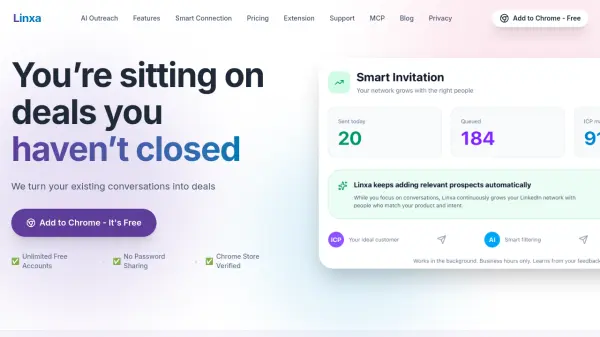
What is Linxa?
Linxa is a Chrome extension that acts as a decision system for LinkedIn growth and conversations. It helps professionals stop guessing who to connect with and what messages matter by providing AI-powered scoring, prioritization, and reply generation. The tool organizes your inbox into custom groups like 'Hot Leads' and 'Follow-up', highlights missed opportunities, and suggests context-aware replies to move conversations forward.
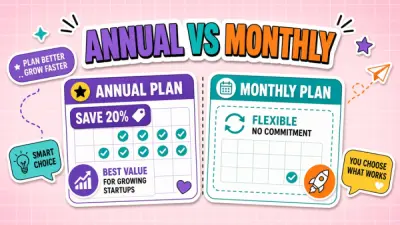
Linxa offers three tiers: a free Inbox plan with smart follow-ups and AI reply previews, a Growth plan for automated network building with Smart Connect, and an Outreach plan for full multi-step AI outreach campaigns. It is designed to work alongside existing LinkedIn automation tools, focusing on decision-making rather than volume. Linxa is safe, Chrome Store Verified, and does not require your LinkedIn password.
Features
- Smart Connect: AI scores and prioritizes LinkedIn profiles to ensure strategic network growth.
- Conversation Intelligence: Automatically sorts your inbox into custom groups like Hot Leads, Follow-up, Hiring, and Junk.
- AI Replies: Generates context-aware replies including icebreakers, follow-ups, and objection handling.
- Smart Inbox: Finds missed replies and highlights priority leads and opportunity signals.
- Smart Follow-ups: Automates follow-up messages to prevent leads from slipping away.
- Multi-step AI Outreach Campaigns: Creates and runs automated outreach sequences with flexible lead sources and message tone control.
- Observation: Analyzes historical conversations to inform outreach strategies.
- Background Invitation Sending: Sends connection requests in the background at safe, human-like speeds.
Use Cases
- Prioritize high-value LinkedIn connections and avoid random network growth.
- Organize a chaotic LinkedIn inbox to quickly find hot leads and important messages.
- Generate AI-powered replies to save time on follow-ups and outreach.
- Run automated multi-step outreach campaigns to convert connections into customers.
- Manage multiple LinkedIn accounts from a single interface without password sharing.
FAQs
-
What exactly is Linxa?
Linxa is a Growth Agent Network and decision system for LinkedIn. It sits on top of your existing interface as a Chrome Extension, helping you grow your network strategically, organize conversations, and use AI to move deals forward. -
Does it replace LinkedIn automation tools like Waalaxy or Expandi?
No. Linxa is designed to work alongside them. Mass automation tools focus on volume; Linxa focuses on decision making, helping you filter out noise, prioritize signals, and send smarter replies. -
How does Linxa help me grow my network?
The free Inbox helps you spot missed opportunities, reply, and send follow-ups. Growth adds Smart Connect — finding, scoring, and connecting with new profiles on autopilot — while Outreach adds full Smart Outreach campaigns with flexible lead sources. -
How can I organize my LinkedIn Inbox?
Linxa's Conversation Intelligence layer sorts messages into custom groups like 'Hot Leads', 'Follow-up', 'Hiring', and 'Junk'. Instead of one chaotic list, you get a structured workflow. -
Is Linxa safe for my LinkedIn account?
Yes. Safety is our priority. We are Chrome Store Verified and never ask for or store your LinkedIn password. We don't perform rapid mass actions; we operate at safe, human-like speeds.