What is Linchpin Intranet?
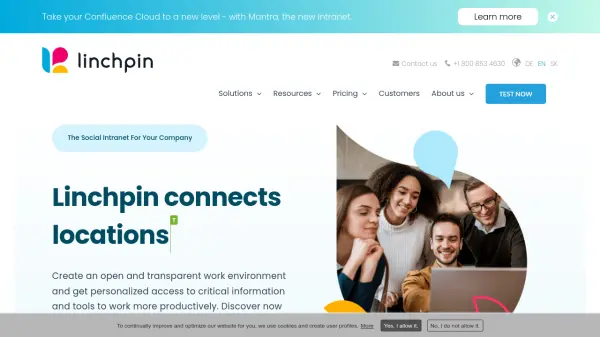
Linchpin is a social intranet platform built on Confluence that serves as a central information and collaboration hub for organizations. It connects people, tools, and locations to create an open and transparent work environment. Linchpin delivers personalized access to critical information and tools, enabling teams to collaborate seamlessly and work more productively.
The platform adapts to various industries including education, finance, healthcare, energy, and digital administration. It features intuitive navigation, personalized dashboards, and extensive configuration options. Linchpin is available as a cloud-hosted solution or can be self-operated, with pricing based on user tiers starting from 500 users.
Features
- Personalized Dashboards: Customize your work environment with dashboards that deliver relevant content based on location and language.
- Intuitive Navigation: Quickly access features and tools with a simple, user-friendly navigation system.
- Central Collaboration Hub: Use Linchpin as a central platform to share knowledge, collaborate on projects, and communicate effectively.
- Industry-Specific Solutions: Tailored intranet capabilities for education, finance, healthcare, administration, and energy sectors.
- Accessibility Focus: Designed to be usable by people with and without disabilities, with ongoing accessibility improvements.
- Secure Information Sharing: Maintain full control over access rights to confidential information.
- Confluence Integration: Built on Confluence, leveraging its collaboration and documentation capabilities.
Use Cases
- Centralize company communications and announcements.
- Facilitate cross-departmental collaboration on projects.
- Provide personalized access to HR policies, IT support, and other resources.
- Create a knowledge base for best practices and documentation.
- Onboard new employees with guided access to relevant information.
- Enable secure sharing of confidential financial or healthcare data.
- Connect remote and distributed teams across locations.
FAQs
-
Is Confluence required to use Linchpin?
Yes, Confluence is the technological basis for Linchpin and is required for use. If you do not have a valid Confluence Data Center license, you can obtain it from Seibert as well. -
What is included in the Linchpin license?
The initial license allows you to use the software forever and includes 12 months of maintenance and support. After that, you can renew maintenance for an additional 12 months at 50% of the initial license price. -
Can I try Linchpin before purchasing?
Yes, you can create a free trial instance for 30 days. It will be automatically available within a few minutes and will be deleted at the end of the trial period. -
What industries does Linchpin serve?
Linchpin is used in education, finance, healthcare, energy and environment, and digital administration, with tailored features for each sector. -
Can Linchpin be hosted on-premises?
Yes, you can operate your own instance. Seibert can help with technical concept, installation, and configuration, but your IT department is responsible for daily operation.