What is LeanPlanner?
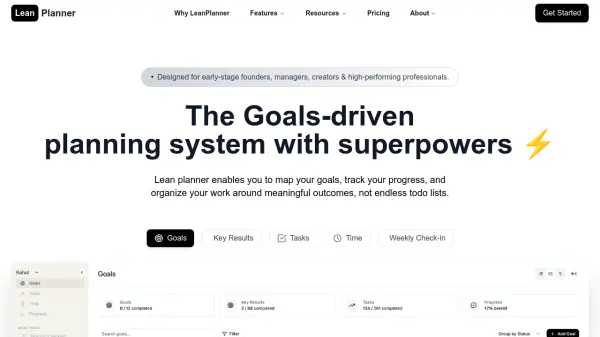
LeanPlanner is a comprehensive productivity platform designed specifically for early-stage founders, managers, creators, and high-performing professionals. The tool enables users to transform their goals into manageable milestones, define specific key results, and translate strategies into actionable tasks. With integrated time tracking and smart notifications, users can stay on top of deadlines while gaining insights into their productivity patterns.
The platform features a structured document system for organized notes, morning routines to build daily momentum, and guided weekly check-ins for reflection and planning. Automated weekly reports provide data-driven insights into accomplishments, time allocation, and goal progress, helping users identify productivity bottlenecks and optimize their schedules effectively.
Features
- Goals Management: Transform goals into manageable milestones with clear objectives and timelines
- Key Results Tracking: Define specific, impactful key results that demonstrate progress toward goals
- Task Management: Translate key results into concrete, prioritized tasks that drive measurable progress
- Time Tracking: Gain insights into how time is spent with integrated tracking to identify productivity patterns
- Weekly Check-ins: Reflect on progress, adjust priorities, and plan ahead with guided weekly reviews
- Automated Reports: Get comprehensive insights into productivity with data-driven weekly reports tracking accomplishments and goal progress
- Document System: Capture ideas, meeting notes, and research in a structured system connected to goals and tasks
- Morning Routine: Build momentum by chaining powerful habits together in a morning routine for daily success
Use Cases
- Goal setting and milestone tracking for professionals
- Productivity optimization through time tracking and analysis
- Project management with task prioritization and deadline management
- Weekly planning and progress review for individuals and teams
- Document organization and note-taking connected to goals
- Morning routine development for building daily momentum
- Performance measurement through key results tracking
- Data-driven decision making with automated productivity reports
FAQs
-
Does the app run on both desktop and mobile?
Yes, you can run this app from any mobile or desktop browser using any platform (Windows, Mac, Android, iPhone). -
What additional benefits do I get with the Elite plan?
The Elite plan includes everything in Pro, plus priority support, early access to beta features, exclusive feature request privileges, automated data backups, and the ability to request data exports. -
Can I upgrade or downgrade my plan at any time?
Yes, you can upgrade or downgrade your plan at any time. When upgrading, you'll get immediate access to new features. When downgrading, changes take effect at the start of your next billing cycle. -
Is there a free trial available?
Yes! You can try all Pro features free for 14 days with no credit card required for the trial period. -
Do you offer annual pricing?
Yes! Save 20% by choosing annual billing on any of our paid plans.