What is Kuula?
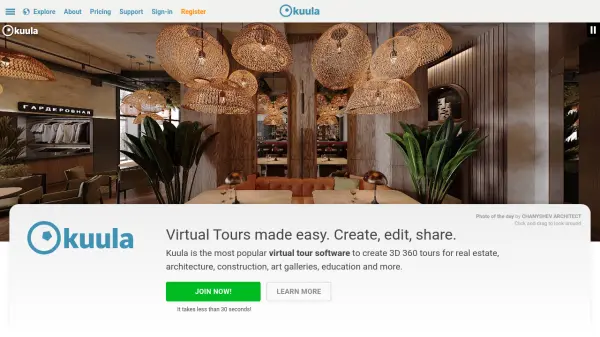
Kuula is an award-winning virtual tour platform designed for businesses and professionals seeking to create immersive 3D 360 tours. With powerful yet easy-to-use editing tools, users can add custom hotspots, interactive labels, background audio, floor plans, branded elements, and more to bring their photos and spaces to life.
Kuula supports all major panoramic image formats and is fully optimized for both web and mobile experiences, ensuring seamless access and interaction for viewers. The platform also enables effortless sharing, embedding, and integration with real estate listings, making it an ideal solution for real estate agents, architects, educators, and creatives aiming to engage audiences with compelling visual experiences.
Features
- Interactive Editor: Create and customize engaging 3D 360 virtual tours with labels, hotspots, audio, and floor plans.
- Multi-Device Optimization: Ensures immersive experiences on both mobile and desktop devices.
- Custom Branding: Add personalized branding elements and use custom domains on higher tier plans.
- Google Street View Publishing: Publish your virtual tours directly to Google Street View.
- Wide Camera Support: Compatible with all panoramic cameras and image formats.
- Batch Uploads: Efficiently upload and share multiple images at once.
- VR Mode: Explore virtual tours with seamless VR headset compatibility via WebXR.
- Easy Sharing and Embedding: Share tours with a link, embed on websites, or add to real estate listings.
Use Cases
- Showcasing residential or commercial real estate listings with interactive virtual tours.
- Creating immersive campus or facility tours for educational institutions.
- Presenting architectural projects or construction progress to clients remotely.
- Developing engaging online exhibitions for art galleries and museums.
- Enabling virtual walkthroughs for event spaces or rental properties.
FAQs
-
What kinds of images does Kuula support?
Kuula supports all panoramic images from 360 cameras, DSLRs, and 3D rendering software, as well as non-panoramic images. -
Can Kuula virtual tours be viewed on mobile devices?
Yes, Kuula tours are fully optimized for mobile viewing and provide an excellent user experience on smartphones and tablets. -
Does Kuula support virtual reality headsets?
Yes, Kuula tours can be explored in VR mode using various virtual reality headsets with WebXR support. -
How can virtual tours be shared or embedded?
Kuula makes it easy to share tours by providing links for email or social media, and supports embedding tours directly on websites and listings.