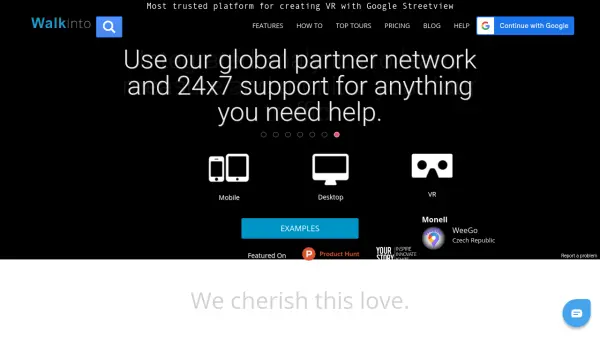
What is WalkInto?
WalkInto enables users to weave compelling virtual reality stories by creating interactive virtual tours with Google Street View or self-hosted panoramas. The platform empowers businesses and individuals to add value to their digital presence by incorporating audio, video, hotspots, floor plans, and more, while supporting integration with brand themes.
Designed for seamless use across desktop, mobile, and VR, WalkInto provides intuitive editing tools, advanced navigation options, Google Analytics integration, portfolio widgets, and the ability to personalize domains. It features responsive customer support and the flexibility to embed tours in websites or share them across digital channels, making it ideal for both fun and professional use cases.
Features
- Panorama Import: Import imagery from Google Street View, Google Business Views, or Photosphere using URL or map search.
- Cross-Platform Compatibility: Tours work seamlessly on desktop, mobile, and VR devices.
- Intuitive Editor: Simple drag-and-drop interface for creating and customizing virtual tours.
- Hotspots & Interactivity: Add unlimited interactive hotspots including images, videos, audio, and slideshows.
- Navigation Options: Multiple navigation types such as text menu, thumbnail menu, scene links, and floor plans.
- Brand Integration: Customize tours with themes, logos, and advanced editing to match brand identity.
- Analytics Integration: Built-in Google Analytics support to monitor and analyze tour traffic.
- Embedding & Sharing: Easily embed tours on websites or share via social channels.
- Custom Domain & Subdomain: Configure branded domains and personalized subdomains for tours.
- Support: Responsive support team available 24x7 for assistance.
Use Cases
- Enhancing real estate listings with immersive property tours.
- Creating interactive virtual walkthroughs for museums and exhibitions.
- Showcasing hospitality venues like hotels or restaurants with virtual previews.
- Building engaging educational experiences for remote learning.
- Enabling photographers to provide value-added virtual tours to clients.
- Promoting tourism by providing virtual access to points of interest.
- Supporting businesses in brand storytelling through digital experiences.
FAQs
-
Can I use my own images or only Google Street View photos?
Yes, WalkInto allows you to create virtual tours using images from Google Street View as well as your own images hosted on web servers. -
Does WalkInto work on both mobile and desktop devices?
WalkInto tours are designed to be fully responsive and work seamlessly on desktop, mobile, and VR devices without requiring additional steps. -
How can I remove ads from my published virtual tours?
Ads can be removed from tours by upgrading to a Paid Hosting subscription, which also unlocks advanced customization options. -
Is it possible to embed tours on my website?
Yes, WalkInto provides easy-to-use IFRAME embed snippets so you can include your virtual tours within your own website and other social media platforms. -
Can I monitor visitor engagement on my virtual tours?
WalkInto integrates with Google Analytics, allowing users to track and analyze user engagement and tour performance.