
What is Invoicera?
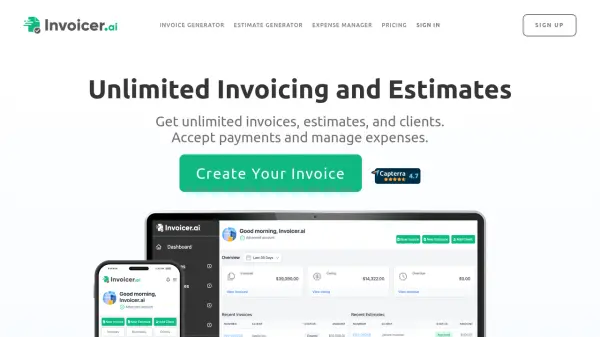
Invoicera is a cloud-based billing and invoicing software designed to automate financial processes for businesses. The platform offers online invoicing with customizable templates, automated reminders, and recurring billing capabilities to streamline payment collection. It provides tools for expense tracking, project management, and multi-currency support to help businesses manage their finances efficiently.
The software includes features for client and vendor management through dedicated portals, along with integration options with third-party systems and payment gateways. With security measures like data encryption and backup, Invoicera aims to simplify billing operations while maintaining compliance with tax regulations like GST billing.
Features
- Online Invoicing: Create, send, and manage professional invoices digitally with customizable templates
- Automated Reminders: Send timely payment reminders to reduce delays and improve cash flow
- Multi-currency Support: Send invoices and accept payments in multiple currencies for global businesses
- Client Portal: Provide clients with an intuitive portal to view invoices and manage transactions
- Expense Tracking: Monitor business expenses and manage purchase orders efficiently
- Recurring Billing: Automate subscription-based billing and recurring payment collection
- API Integration: Connect with third-party systems and payment gateways through powerful APIs
- Security Features: Protect data with encryption, backups, and fraud protection measures
Use Cases
- Automating invoice creation and sending for small businesses
- Managing recurring billing for subscription-based companies
- Tracking time and expenses for freelance professionals
- Handling multi-currency invoicing for international operations
- Streamlining client communication through dedicated portals
- Integrating billing systems with existing business software
- Generating financial reports for business analysis
- Managing multiple businesses from a single platform
FAQs
-
Does Invoicera offer a free trial?
Yes, Invoicera offers a 7-day free trial for all subscription tiers without requiring a credit card. -
Can I customize invoice templates in Invoicera?
Yes, Invoicera provides customizable invoice templates that can be personalized with your brand identity. -
What happens after the free trial period ends?
After the 7-day trial, you can choose a premium plan or your account will be downgraded to the Free Forever plan with limited features. -
Does Invoicera support multiple currencies?
Yes, Invoicera supports multi-currency invoicing and payments for businesses operating internationally. -
Is customer support available for all plans?
Yes, customer support is available to all users regardless of their subscription tier.