What is Hyperlint?
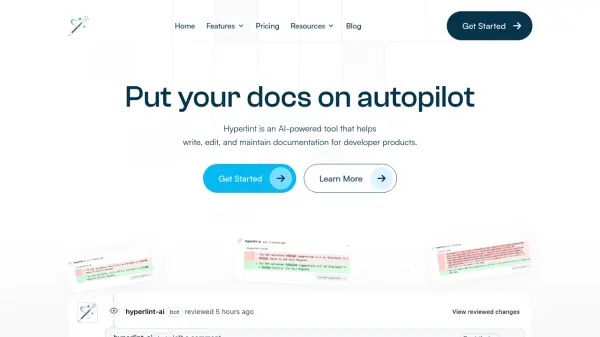
Hyperlint is an AI-driven platform specifically engineered to streamline the documentation process for developer products. It assists teams in writing, editing, and consistently maintaining their documentation by integrating directly into existing workflows. The tool utilizes artificial intelligence to automate repetitive tasks associated with documentation upkeep.
By leveraging AI, Hyperlint proactively monitors APIs and CLIs, suggesting or automatically making updates to keep documentation accurate. It enforces style guides through automated checks within pull requests and identifies common issues like broken links or poor SEO optimization, proposing fixes to enhance documentation quality and maintainability. This allows technical writers and developers to focus on creating valuable content rather than tedious maintenance.
Features
- AI Style Guide Automation: Runs and makes recommendations based on your custom style guide.
- Proactive Documentation Updates: Monitors APIs and CLIs, proactively suggesting changes to keep documentation current.
- Automated Issue Detection: Identifies common issues like broken links and poor SEO optimization.
- Pull Request Integration: Opens pull requests for suggested changes and runs checks directly within the PR workflow.
- Customization: Learns from user feedback (accepted/rejected changes) to tailor suggestions.
- Workflow Integration: Tightly integrates into existing documentation workflows, particularly GitHub.
Use Cases
- Automating the enforcement of documentation style guides.
- Keeping API and CLI documentation consistently up-to-date.
- Reducing the manual effort required for documentation maintenance.
- Proactively identifying and fixing broken links in documentation.
- Improving the SEO optimization of technical documentation.
- Streamlining the documentation review process via integrated PR checks.
FAQs
-
How does billing work?
When you purchase a subscription, you receive credits that are consumed through various interactions with Hyperlint. Details on credit consumption are available in the documentation. -
Can I buy more credits?
Currently, purchasing additional credits is not supported outside of the enterprise plan. You need to upgrade your plan for more credits. -
Do you offer refunds?
Yes, refunds are offered within the first 30 days of your subscription. You need to contact support. -
How do I upgrade my plan?
You can change your plan at any time by contacting Hyperlint support at [email protected] -
Do you offer custom plans or services?
Yes, custom plans and services are available via the enterprise plan. Contact Hyperlint for more information.