What is DeepDocs?
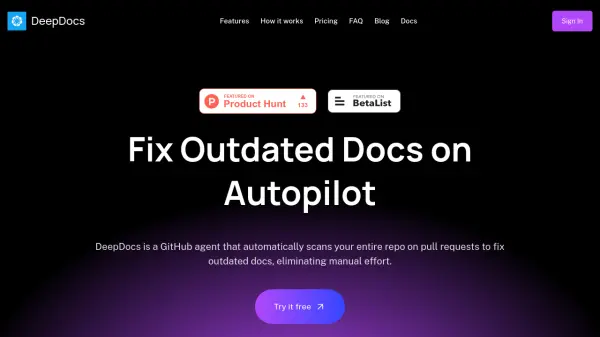
DeepDocs is an AI-powered GitHub agent designed to automate documentation maintenance by scanning entire codebases on every commit. It identifies outdated documentation and automatically creates pull requests with necessary updates, preserving original formatting and style while only modifying what's required. This tool integrates seamlessly into GitHub workflows, supporting various documentation generators like Docusaurus, Mintlify, Read the Docs, and MkDocs without additional setup.
The platform operates on a continuous documentation principle, similar to CI/CD for code, ensuring that documentation remains synchronized with code changes. It provides detailed logs explaining which documents changed, why they changed, and which commits triggered updates, offering transparency and control over the documentation process.
Features
- Continuous Documentation: Automatically scans codebase on every commit to identify and fix outdated docs with PRs
- Deep Scan: Analyzes entire repository context unlike coding agents limited to specific tasks
- Intelligent Updates: Updates only outdated parts while preserving original formatting and style
- Detailed Logs: Provides clear reports showing which docs changed, why, and which commits triggered updates
- GitHub Native: Integrates directly into GitHub workflow without disrupting current work
- Works with all setups: Supports monorepos, separate docs repos, and generators like Docusaurus, Mintlify, Read the Docs, and MkDocs
Use Cases
- Automatically updating API documentation when code changes
- Keeping SDK guides synchronized with library updates
- Maintaining accurate README files across repository changes
- Ensuring tutorials reflect current code functionality
- Updating reference documentation for evolving codebases
- Eliminating manual documentation maintenance for development teams
FAQs
-
How does DeepDocs handle different documentation formats and structures?
DeepDocs preserves your original formatting and style while updating only the outdated parts of documentation, working with various setups including monorepos, separate docs repos, and supporting generators like Docusaurus, Mintlify, Read the Docs, and MkDocs. -
What happens if I need more than 100 scan credits per month?
You can purchase additional seats to increase your monthly scan credits. Each additional seat provides 100 more scan credits per month. -
Can DeepDocs work with private repositories?
Yes, DeepDocs can be installed on any GitHub repository, including private ones, and will scan them according to your selected configuration. -
How does DeepDocs ensure data security and privacy?
DeepDocs stores your code and docs securely on servers in the EU and US, uses data only to run the service, never shares with third parties, and permanently deletes everything when you uninstall the app.