What is Glue AI?
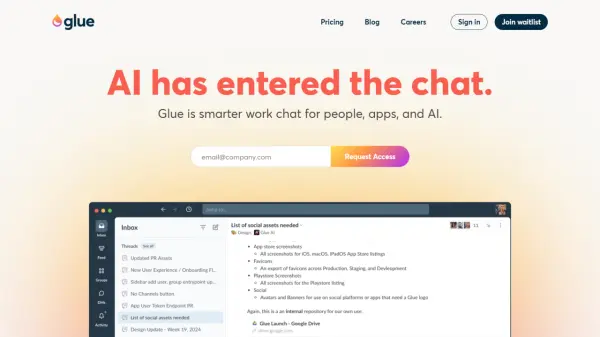
Glue AI transforms workplace communication by embedding intelligent AI assistance directly into chat threads. Built with a focus on organized, contextual conversations, it enables teams to collaborate more efficiently by combining human interaction with AI capabilities powered by either GPT-4 or Claude 3 models.
The platform features a unique thread-based communication system that breaks free from traditional channel constraints, allowing for more focused discussions and better organization. With powerful context awareness, Glue AI can access and cross-reference information from previous threads, documents, and group discussions to provide relevant assistance and insights.
Features
- AI Assistant Integration: AI-powered help available in every thread
- Contextual Awareness: Access to thread history and document cross-referencing
- Flexible Threading: Organization of conversations without channel restrictions
- Smart Inbox Management: Focused view of important threads with done-marking capability
- Multiple AI Models: Choice between GPT-4 and Claude 3 models
- App Integration: Webhook support and notification organization
- Custom API Key Support: Option to add personal API key for unlimited usage
- Cross-Platform Access: Available on Mac, iOS, and Android
Use Cases
- Team collaboration and communication
- Project discussion and coordination
- Information gathering and summarization
- Workflow automation through integrations
- Document-aware conversations
- Cross-team communication management
- Knowledge sharing and documentation
FAQs
-
What AI models does Glue AI support?
Glue AI supports both OpenAI's GPT-4 and Anthropic's Claude 3 models, with more models planned for the future. -
Can I use my own API key with Glue AI?
Yes, you can add your own API key for unlimited usage of the AI features. -
What platforms is Glue available on?
Glue is available on Mac, iOS, and Android platforms, as well as through a browser-based web app.