What is GetData Graph Digitizer?
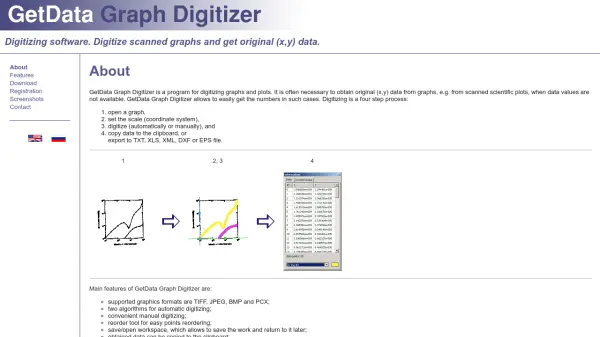
GetData Graph Digitizer is a specialized program designed for digitizing graphs and plots to extract original (x,y) data. It is particularly useful in scenarios where numerical data from scanned scientific plots is unavailable, enabling users to convert visual information into usable numbers through a streamlined process.
The software supports multiple graphics formats, including TIFF, JPEG, BMP, and PCX, and offers both automatic and manual digitizing algorithms. Users can save their workspace for later use and export data to various formats such as TXT, XLS, XML, DXF, and EPS, facilitating integration with other tools and applications.
Features
- Supported Graphics Formats: Handles TIFF, JPEG, BMP, and PCX files for digitizing.
- Automatic Digitizing Algorithms: Includes two algorithms for efficient data extraction from graphs.
- Manual Digitizing: Provides convenient tools for precise manual point selection.
- Reorder Tool: Allows easy reordering of digitized points for accuracy.
- Workspace Saving: Enables saving and reopening workspaces to continue work later.
- Data Export: Supports export to TXT, XLS, XML, DXF, and EPS formats.
- Clipboard Copy: Allows copying obtained data directly to the clipboard for quick use.
Use Cases
- Extracting numerical data from scanned scientific plots for research analysis.
- Digitizing historical graphs in academic papers to recover original data points.
- Converting visual data from graphs into spreadsheet formats for statistical processing.
- Preparing graph data for use in CAD software by exporting to DXF format.
- Archiving graph information from publications into digital databases.
FAQs
-
What graphics formats does GetData Graph Digitizer support?
It supports TIFF, JPEG, BMP, and PCX formats for digitizing graphs. -
Can I save my work and return to it later?
Yes, the software allows saving and opening workspaces to continue digitizing later. -
What export formats are available for digitized data?
Data can be exported to TXT, XLS, XML, DXF, and EPS formats. -
Does GetData Graph Digitizer offer automatic digitizing options?
Yes, it includes two algorithms for automatic digitizing, along with manual tools.