FamilyTime favicon

FamilyTime
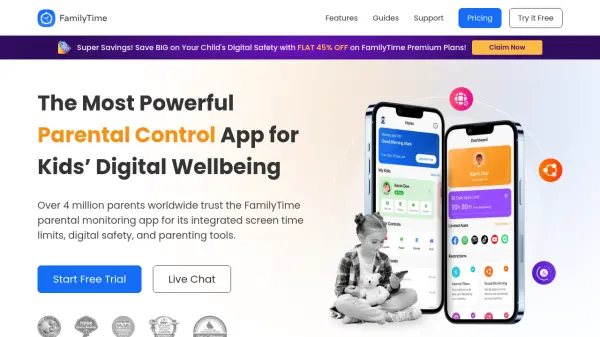
The Most Powerful Parental Control App for Kids' Digital Wellbeing

What is FamilyTime?

FamilyTime is a parental control application designed to assist parents in managing their children's digital activities across various age groups. The app provides tools for setting screen time limits, blocking inappropriate apps and games, monitoring social media interactions, and tracking real-time locations. It offers features such as content filtering, individual app limits, and activity reports to help parents create safer digital environments for their children.

The application supports co-parenting by allowing multiple guardians to manage child devices and includes safety alerts for overspeeding and geofence breaches. FamilyTime emphasizes ease of use with a straightforward interface and provides 24/7 support for technical assistance. It is available on multiple platforms including Android, iOS, and other app stores.

Features

  • Screen Time Controls: Set daily limits and schedules for device and internet usage
  • Content Filtering: Block apps, games, and websites with SafeSearch and web filters
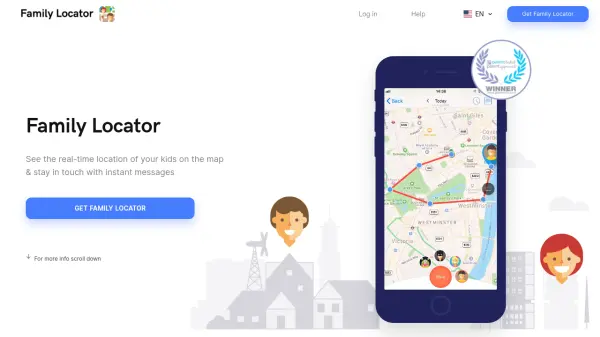
  • Location Tracking: View live locations and set geofence alerts for safety
  • Social Media Monitoring: Review chats on platforms like WhatsApp, Instagram, and TikTok
  • Activity Reports: Access 30-day history of app usage, calls, and web searches

Use Cases

  • Limiting children's screen time during study or bedtime
  • Blocking inappropriate apps and games on child devices
  • Monitoring social media interactions for safety concerns
  • Tracking teenager's driving speed and location for safety
  • Reviewing activity reports to adjust digital parenting rules

Related Tools:

Blogs:

  • Boost Engagement in Ads with AI

    Boost Engagement in Ads with AI

    Discover how AI music and AI SDR agents are reshaping modern advertising. Learn how emotional resonance through AI-generated soundtracks combined with smart, automated sales outreach can turn viewers into loyal customers faster, cheaper, and more personally than ever before.

  • Chat with PDF AI Tools

    Chat with PDF AI Tools

    Easily interact with your PDF documents using our advanced AI-powered tool. Whether you're reading lengthy reports, research papers, contracts, or eBooks, our platform lets you chat directly with your PDF files, ask questions, extract insights, and get summaries in real-time.

  • Top 6 AI note-taking tools for 2026: in-person, online, and hybrid use cases

    Top 6 AI note-taking tools for 2026: in-person, online, and hybrid use cases

    Most AI note-taking lists are really lists of meeting bots, which join your video call and transcribe it. That's useful, but it's half the picture. Decisions happen in hallway conversations, client dinners, on-site visits, and hybrid rooms where nobody is on a video link. This guide covers different parts of the note-taking workflow: hardware capture for in-person settings, platform-native tools for online calls, and AI layers for organizing and synthesizing what you've captured. It compares six tools by capture context, workflow fit, pricing, and limitations.

Didn't find tool you were looking for?

Be as detailed as possible for better results