

What is Boomerang Parental Control?
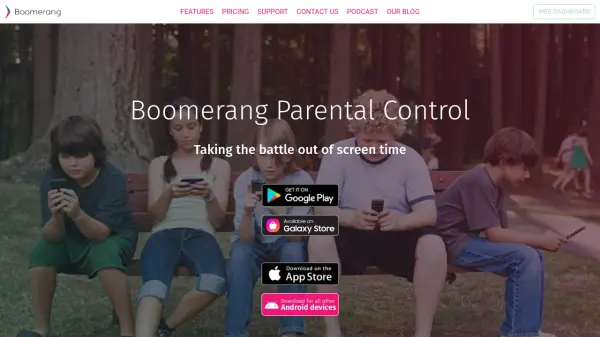
Boomerang Parental Control is a comprehensive parental monitoring application designed to help parents manage their children's smartphone usage effectively. The tool offers flexible screen time scheduling with weekday and weekend options, allowing parents to set limits on device access from their parent mobile device. It reinforces healthy sleep habits by enabling scheduled shutdown times and provides daily time limits per app to teach children how to prioritize their free time.
The application includes safety features such as text message monitoring with customizable keyword detection for inappropriate content, call management that allows only saved contacts, and 24/7 location tracking with alerts. Parents can approve or block new app installations, set time limits on specific apps, and exempt educational or health apps from restrictions. The tool also integrates with Samsung Knox for enhanced security on compatible devices and includes safe browsing features through the SPIN Safe Browser.
Features
- Screen Time Scheduling: Set weekday and weekend schedules to limit smartphone access from parent devices
- App Time Limits: Allocate daily time limits per app to teach children time management
- Text Message Monitoring: Get detailed logs and notifications for inappropriate words or unknown numbers
- Location Tracking: 24/7 tracking with alerts and automatic reporting of child's whereabouts
- App Approval & Control: Get notified of new app installations and approve or block them remotely
- Safe Browsing: Built-in filtering of inappropriate websites through SPIN Safe Browser
- Call Management: Allow calls only from saved contacts and block all other numbers
- Samsung Knox Integration: Enhanced security features for compatible Samsung devices
Use Cases
- Managing children's screen time with flexible scheduling
- Monitoring text messages for inappropriate content or cyberbullying
- Tracking children's location for safety purposes
- Controlling app usage by setting time limits and approvals
- Ensuring safe internet browsing with filtered search results
- Reinforcing healthy sleep habits through device shutdown schedules
- Managing family devices from a single parent application
FAQs
-
What devices are supported by Boomerang Parental Control?
The tool supports Android smartphones and tablets for child devices, with parent devices available on both Android and iOS. Some features like text message monitoring and call management are Android-only. -
How does the 14-day free trial work?
The free trial allows users to try all premium features for 14 days on both Android and iOS child devices with full support during the trial period, and users can cancel anytime. -
Does Boomerang Parental Control auto-renew subscriptions?
No, the tool does not auto-renew licenses. Users are notified via email prior to their renewal time and must manually renew their subscription. -
What safety features are included for internet browsing?
The tool includes the SPIN Safe Browser with built-in filtering of inappropriate websites, safe searching with strict settings on search engines, and Chrome browser filtering for Android users. -
Can parents monitor multiple children's devices?
Yes, the Family Pack supports up to 10 family device licenses, allowing parents to manage multiple children's Android smartphones and tablets from a single parent device.