What is Drawpile?
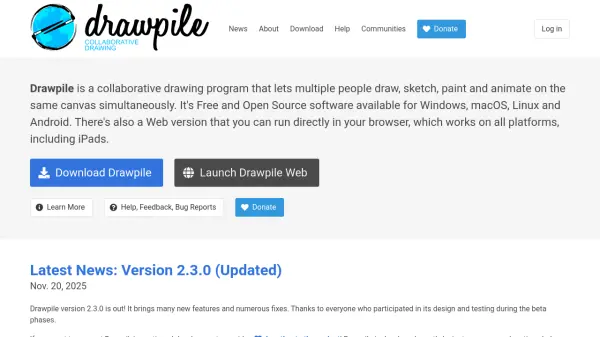
Drawpile is a collaborative drawing program designed for real-time artistic collaboration. It allows multiple participants to draw, sketch, paint, and animate simultaneously on a shared canvas, making it ideal for group projects, remote teamwork, and interactive art sessions. The software supports various creative tools and features that enhance the collaborative drawing experience.
The program is available as free and open-source software for Windows, macOS, Linux, and Android, with a web version that runs directly in browsers, including on iPads. Drawpile emphasizes accessibility and cross-platform compatibility, ensuring users can collaborate regardless of their device. Recent updates have introduced advanced features like clipping layers, gradient tools, and improved color blending modes to support both traditional and digital art workflows.
Features
- Collaborative Canvas: Multiple users can draw simultaneously on the same canvas in real-time
- Cross-Platform Support: Available for Windows, macOS, Linux, Android, and web browsers
- Advanced Drawing Tools: Includes gradient tools, clipping layers, and various brush modes
- Animation Support: Allows users to create animations collaboratively
- Open Source: Free software under GPLv3 license with community-driven development
Use Cases
- Remote art collaboration between multiple artists
- Educational drawing sessions in classrooms or workshops
- Team brainstorming and visual idea development
- Creating animations with multiple contributors
- Online art communities hosting collaborative drawing events
FAQs
-
What platforms does Drawpile support?
Drawpile is available for Windows, macOS, Linux, Android, and as a web version that works in browsers including on iPads. -
Is Drawpile really free to use?
Yes, Drawpile is completely free and open-source software licensed under GPLv3, with no subscription fees or purchase costs. -
How many people can draw simultaneously on Drawpile?
Drawpile supports multiple users drawing on the same canvas simultaneously, though specific limits may depend on server configuration and network conditions. -
Can I use Drawpile for animation projects?
Yes, Drawpile includes animation features that allow users to create and collaborate on animated content together. -
How do I update Drawpile to the latest version?
You can update Drawpile by downloading the new version from the official website and installing it over the current version, as updates are backward-compatible.