What is Docamine?
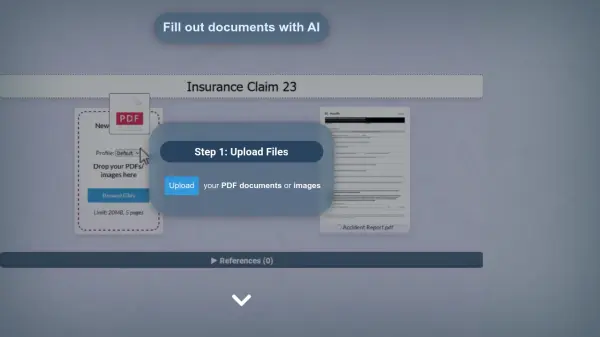
Docamine streamlines document processing by leveraging artificial intelligence to automatically identify and fill out fields in PDF documents and images. The platform features an intuitive three-step process that allows users to upload files, review AI-generated field entries, and complete documents with digital signatures.
The system incorporates machine learning capabilities that improve accuracy over time, ensuring more precise form filling with continued use. Users can manage multiple profiles, add supporting documentation, and easily download completed PDFs for their records.
Features
- AI Field Recognition: Automatically identifies and fills form fields in PDFs
- Digital Signatures: Built-in signature drawing and application capability
- Profile Management: Support for multiple user profiles
- Reference Documents: Option to attach supporting documentation
- Machine Learning: Improves accuracy through continued usage
- Document Support: Handles both PDF documents and images
Use Cases
- Completing administrative forms
- Processing legal documents
- Filling out application forms
- Managing business documentation
- Processing HR paperwork
- Handling institutional forms
FAQs
-
What types of documents can I process with Docamine?
Docamine can process PDF documents and images containing forms or fillable fields. -
Is my signature saved securely?
Yes, you can draw and save your signature securely within the platform for future use. -
Can I add multiple user profiles?
Yes, Docamine allows you to add profiles for different people, making it easier to manage documents for multiple individuals.