What is DocuTemplate?
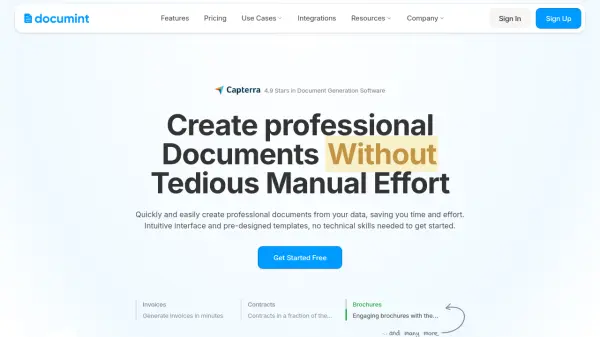
DocuTemplate harnesses advanced artificial intelligence to revolutionize document automation for businesses and professionals. The platform allows users to easily upload existing documents and convert them into dynamic templates through automated field detection, smart variable naming, and seamless format preservation. This drastically reduces manual input, increases accuracy, and ensures a high level of consistency across all organizational documents.
Alongside intelligent document generation, DocuTemplate offers AI-driven data extraction from various file formats, including images and PDFs, with robust OCR capabilities and structured data parsing. Users benefit from a comprehensive WYSIWYG editor, secure cloud storage, powerful integrations with Google Drive and DocuSign, and automated error detection. These features combine to create a streamlined, error-resistant workflow and efficient document management solution.
Features
- AI Template Creation: Converts uploaded documents into dynamic templates with automatic field detection and smart variable naming.
- AI Data Extraction: Extracts data from images, PDFs, and documents with OCR and structured data parsing.
- Smart Document Generation: Suggests content and detects errors when generating documents automatically.
- WYSIWYG Document Editor: Allows rich text formatting, variable insertion, and template editing.
- One-Click PDF Generation: Instantly produces professional PDFs from templates.
- Batch Processing: Enables generating multiple documents at once with automated data validation.
- Secure Cloud Storage: Stores documents and templates with end-to-end encryption and access control.
- Google Drive Integration: Imports, saves, and organizes documents seamlessly with Google Drive.
- DocuSign Integration: Sends documents for e-signature and tracks status in real time.
Use Cases
- Automating repetitive document creation for HR onboarding.
- Generating client contracts with consistent formatting and accurate data.
- Extracting structured data from invoices, receipts, or legal documents for record-keeping.
- Creating dynamic proposals and reports for business development teams.
- Filling out standardized forms in bulk for administrative processes.
- Integrating document workflows with Google Drive and DocuSign.
FAQs
-
How does the free trial work?
Users can try the Basic or Pro plan free for 14 days with full feature access. At the trial’s end, users can subscribe or the account is downgraded. -
Can I upgrade or downgrade my plan?
Yes, plans can be upgraded or downgraded at any time, with prorated billing for upgrades and changes applied at the next cycle for downgrades. -
What happens if I exceed my monthly limits?
Additional usage beyond monthly limits is charged on a pay-as-you-go basis, with specific rates for extra documents and AI features. -
Is there a refund policy?
A 14-day money-back guarantee is provided for all paid plans. Contact support within 14 days of purchase for a refund.