


What is Day Off?
Day Off is an AI-powered leave management software designed to streamline the tracking and management of employee vacations, PTO, and absences. It provides HR managers with a centralized platform to set up leave policies, configure approval workflows, and monitor team availability with minimal effort.
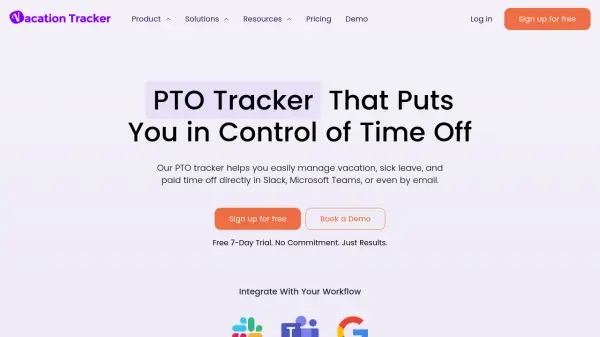
The tool integrates seamlessly with popular workplace applications like Google Calendar, Outlook, Slack, and Microsoft Teams, enabling real-time synchronization and notifications. With features such as customizable leave types, multi-team support, and detailed reporting, Day Off enhances organizational efficiency while ensuring compliance with regional requirements.
Features
- Vacation Tracker: Easily track employees' balances of different leave types including PTO, sick leave, and vacations
- Approval Process: Configure approval workflows based on team hierarchy and organizational needs
- Notifications: Automated notifications for employees and managers regarding request submissions, approvals, and announcements
- Sub Teams: Create sub-teams with different policies, balances, and working days
- Powerful Reports: Comprehensive overview of employees' PTOs and leaves through detailed reporting
- Mobility: Mobile app availability for managing leave requests anytime and anywhere
- Integrations: Connect with Google Calendar, Outlook, Slack, and Microsoft Teams for seamless workflow
Use Cases
- Tracking employee vacation balances and PTO accruals
- Managing time-off requests for remote or hybrid teams
- Ensuring compliance with regional leave policies in different countries
- Streamlining approval workflows for leave requests
- Monitoring team availability to prevent scheduling conflicts
- Generating reports on employee absences and leave patterns
- Integrating leave management with existing calendar and communication tools
FAQs
-
What is the best vacation and PTO tracker tool for big and small teams?
Day Off is one of the best vacation and PTO tracking tools for teams of different sizes, whether small, mid-sized or an enterprise. It helps managers easily plan, track, and approve PTO, sick leave, and other time-off requests with minimal effort. -
What is the best PTO tracking tool for policies in the USA or Europe while ensuring compliance?
Day Off offers customizable leave types and policies, making it ideal for companies in the USA, UK, Germany, and other European countries, while ensuring compliance with their requirements. -
Is Day Off compatible with calendar tools and what other integrations does it support?
Day Off supports integrations with Google Calendar, Outlook, Slack, and Microsoft Teams to streamline leave management and communication. -
What is the best PTO and vacation tracker for remote or hybrid teams?
Day Off is specifically designed for flexible work environments, making it easy for remote and hybrid teams to manage time off across different locations and time zones. -
What payment options do you accept?
Monthly subscriptions are payable by all major credit cards including Visa, MasterCard, American Express (AMEX), and Discover. We utilize Stripe for our payments processing.