

What is Daily Planner 2026?
Daily Planner 2026 is a comprehensive productivity application designed to streamline task management through intelligent features. The app allows users to create detailed todo lists, set gentle reminders, and organize tasks by categories with an intuitive interface. It supports 13 global languages and enables users to generate PDF reports of their task lists, which can be exported and shared instantly.
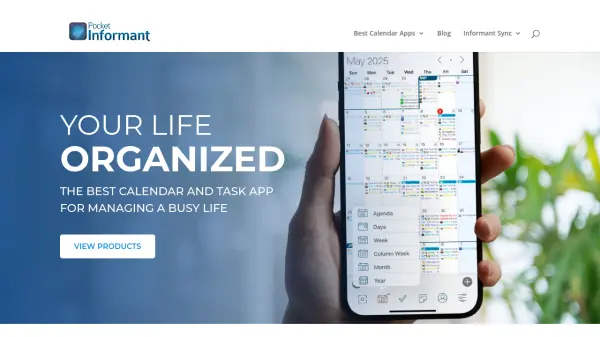
The application includes a calendar view that color-codes tasks for easy visualization, helping users track their schedules month-wise and day-wise. With text-to-speech functionality for task playback and secure iCloud synchronization for data backup, Daily Planner 2026 ensures users stay on top of their priorities efficiently. It is optimized for Android 14+ and earlier versions, making it accessible for a wide range of devices.
Features
- Multilingual Support: Available in 13 global languages including English, German, Spanish, French, Italian, Japanese, Korean, Portuguese, Russian, Thai, Turkish, Hindi, and Chinese
- PDF Report Generation: Export task lists as PDF documents by category, with reports available in all supported languages
- Calendar Integration: View tasks in a calendar format with color-coded displays for monthly and daily scheduling
- Text-to-Speech Functionality: Playback tasks audibly using text-to-speech technology for quick review
- Cloud Synchronization: Securely sync data with iCloud for backup and restore across iOS devices
- Task Management: Perform CRUD operations on tasks and categories, with gentle reminders and notifications
Use Cases
- Students managing assignments and project deadlines
- Small businesses organizing project plans and meetings
- Homemakers and working moms scheduling daily routine tasks
- Individuals tracking personal goals like travel plans or life dreams
- Teams coordinating tasks with shared PDF reports
FAQs
-
How does the app help with task reminders?
The app sets gentle reminders for tasks, sending notifications to your phone so you never forget important deadlines or activities. -
Can I use this app on multiple devices?
Yes, the app supports iCloud synchronization, allowing you to backup and restore data across all your iOS devices seamlessly. -
What types of tasks can I create in the app?
You can create various tasks such as personal goals, work assignments, travel plans, or any activities you want to achieve, with options for names, descriptions, and dates. -
Is the app available for both Android and iOS?
The app is available for download on the Play Store for Android and the App Store for iOS, supporting Android 14+ and earlier versions. -
How do I generate PDF reports from my task lists?
You can generate PDF reports by category, including overdue, today, tomorrow, monthly, and later-wise task lists, which are exported in a printable table format.