What is CrewCam?
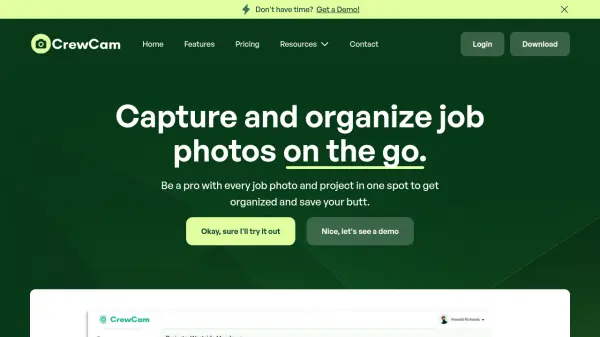
CrewCam offers businesses a powerful platform for capturing, organizing, and managing jobsite photo and video documentation in real time. With features such as time and location stamping, easy project organization, and cloud storage, users can maintain full visual records without cluttering personal devices or risking data loss when team members depart.
The app enables seamless team collaboration through visual communication, direct commenting, photo annotation, and checklists for task management. CrewCam is particularly useful for monitoring work progress, verifying project details, and ensuring peace of mind for business owners concerned with liability and accountability. Its intuitive interface and robust permissions controls make it a reliable solution for efficient team operations across industries.
Features
- Time and Location Stamped Photos: Automatically mark all photos and videos with date and location for reliable documentation.
- Unlimited Cloud Storage: Securely stores all jobsite media in the cloud, freeing up device memory.
- Project Organization: Organize photos and videos by project, with tagging and labeling for easy retrieval.
- Team Collaboration: Invite team members, assign roles and permissions, and enable real-time uploads.
- Photo Annotation: Add visual context with in-app annotation tools on images.
- Checklists and Task Assignment: Create checklists, assign tasks, and require photos as proof of completion.
- Real-Time Progress Monitoring: View project activity and uploads live from anywhere.
- Cross-Platform Compatibility: Available on both iOS and Android devices.
Use Cases
- Documenting construction or renovation progress on job sites
- Verifying work completion with photographic evidence for clients
- Managing subcontractors and crew accountability with organized records
- Reducing liability risks through time and location-stamped documentation
- Collaboratively annotating project images to communicate needs or corrections
- Tracking and managing punchlists and assigned tasks with image requirements
- Archiving visual project records for future reference or legal purposes
- Organizing and accessing all job-related photos and videos in a centralized location
FAQs
-
How does CrewCam work?
By downloading the CrewCam app and creating an account, users can take and store work or jobsite photos that are date and time stamped and organized by project. Team members can be invited to upload photos, enabling visual team communication and project management from anywhere. -
Does CrewCam work on both Apple and Android devices?
Yes, CrewCam is fully compatible with both iOS and Android devices, allowing any crew member to use the app regardless of their device. -
Does CrewCam use my phone’s storage?
No, all photos taken using CrewCam are securely stored in the cloud, ensuring that your device’s storage remains unaffected. Users can download any content from the app as needed. -
Why use CrewCam instead of my phone’s standard photo app?
CrewCam offers key advantages such as date and location-stamped documentation, project-based organization, real-time team collaboration, secure cloud storage, and enhanced accountability—features not provided by standard photo apps.