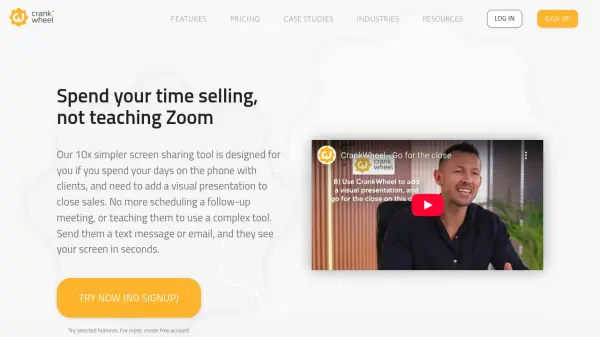
What is CrankWheel?
CrankWheel is an innovative solution tailored for sales teams and professionals who need to deliver seamless, real-time screen sharing and interactive presentations during phone calls. The platform eliminates the need for complex setups or software installation, allowing prospects to view shared screens on any device within seconds, regardless of their technical skill level. CrankWheel's cloud-based system supports browser-based screen sharing, instant demos, and high-quality video playback.
Additional functionalities include remote control, session recording, personalized sales videos, custom branding, and advanced lead capture tools. Users can send screencasts, monitor engagement, and generate instant callbacks with integrated CRM workflows. With extensive administrative controls and white-label options, CrankWheel provides a comprehensive toolkit for businesses seeking efficient, scalable, and user-friendly remote engagement.
Features
- Instant Screen Sharing: Share your full screen, application window, or browser tab with prospects instantly via browser—no downloads required.
- Remote Control: Grant prospects limited control over your desktop or browser during presentations to boost engagement.
- Session and Screencast Recording: Record meetings, screencasts, or webcam sessions with cloud retention and downloadable options.
- Video Conferencing: Host video meetings with audio and webcam support for up to 50 participants on enterprise plans.
- Personalized Sales Videos: Send customized screencast links or email previews to prospects, tracking playback and interaction.
- Lead Capture Widgets: Deploy customizable website widgets for instant lead callbacks and seamless handoff to your sales team.
- Custom Branding: Brand user-facing links, meeting pages, and post-meeting destinations to match your corporate identity.
- Seamless Integration: Embed and integrate CrankWheel with popular CRM platforms and workflows.
- User and Usage Management: Access detailed usage reports, team dashboards, and administrative controls.
- Scale and Flexibility: Unlimited meetings for solo users; volume-based team pricing with generous usage caps.
Use Cases
- Live product demonstrations for sales calls.
- Closing insurance or mortgage deals remotely.
- Onboarding and training new clients.
- Delivering real-time presentations to non-technical customers.
- Capturing inbound leads instantly from company websites.
- Creating and distributing personalized sales videos.
- Remote support and guided walkthroughs for customers.
FAQs
-
Does CrankWheel require software installation for viewers?
No, viewers do not need to install any software or plugins; screen sharing sessions open instantly in their browser. -
What happens after the trial period?
If you do not choose a paid plan after the trial, your account reverts to a free plan with limited features and usage. -
Is there a free plan available?
Yes, CrankWheel offers a free plan with basic features, including limited meetings and viewers per month. -
Can I use CrankWheel with my CRM system?
Yes, CrankWheel integrates with popular CRM systems, allowing seamless flow of leads and meeting data. -
How does CrankWheel handle meeting limits?
Solo plans allow unlimited usage for a single user, while team plans come with shared meeting caps and a 'Never Over Limits' grace period.