What is ChronoFlo Timeline Maker?
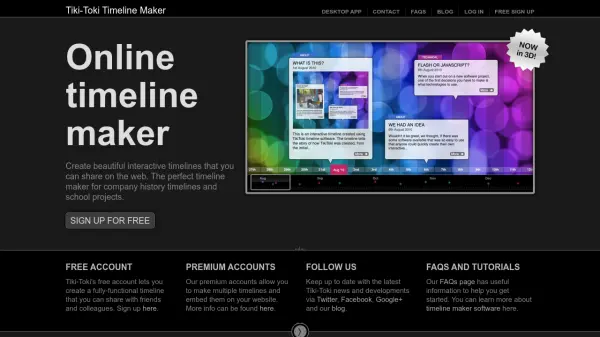
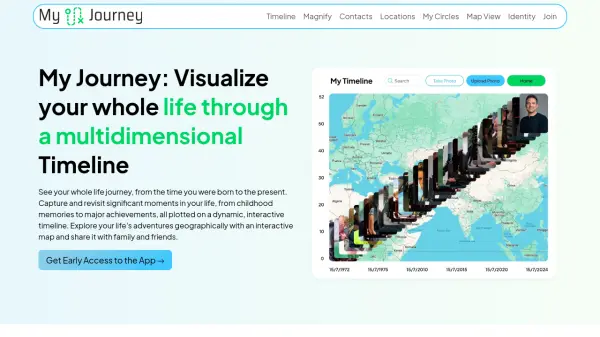
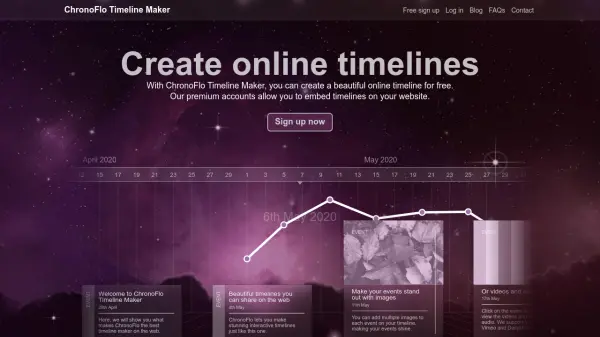
ChronoFlo Timeline Maker is an online tool designed for creating interactive timelines through a user-friendly web interface. It allows users to build timelines with events, categories, and rich media elements like images, videos, and audio without requiring coding skills. The platform offers pre-built design templates, including a 3D view, and customizable themes to match branding needs.
Users can share timelines on the web or embed them on websites with premium accounts. The tool supports data visualization with line and bar graphs, color-coding of events, and customization options for enhanced presentation. It caters to various applications, from personal timelines to professional project histories.
Features
- Easy to Use: No coding skills needed with a simple web browser admin interface
- Rich Media Support: Include images, videos, and audio in timelines
- Multiple Designs: Choose from pre-built templates including a 3D view
- Customizable Themes: Apply pre-coloured themes or create your own to match branding
- Data Visualization: Include line and bar graphs and color-code events
- Highly Customizable: Extensive customization and branding options available
- Share and Embed: Share timelines on the web or embed on websites with premium accounts
Use Cases
- Creating timelines of famous people's lives
- Developing company histories
- Building project timelines
- Creating legal timelines
- Educational timelines for teaching
- Personal history or biography timelines
- Event planning and scheduling visualization
- Historical research and presentation
FAQs
-
What is the difference between free and premium accounts?
Free accounts allow creating a single timeline with up to 50 events, sharing on the web, and basic features. Premium accounts (Bronze and Silver) offer multiple timelines, embedding on websites, higher event limits, image storage, and access to premium features like CSV import. -
Can I use ChronoFlo Timeline Maker for commercial purposes?
Accounts cannot be used commercially to create timelines for other companies. Digital or communications agencies wanting to create timelines for clients should contact the company directly. -
How do I get started with ChronoFlo Timeline Maker?
Sign up for a free account using the online form, then log in to start creating timelines through the web-based admin interface. Tutorials and FAQs are available for guidance. -
What types of media can I include in my timelines?
You can include images, videos, audio, and maps to create rich multimedia timelines. -
Is there a discount available for annual subscriptions?
For full-year subscriptions paid by invoice, contact the company via email at [email protected].