What is Capture.dev?
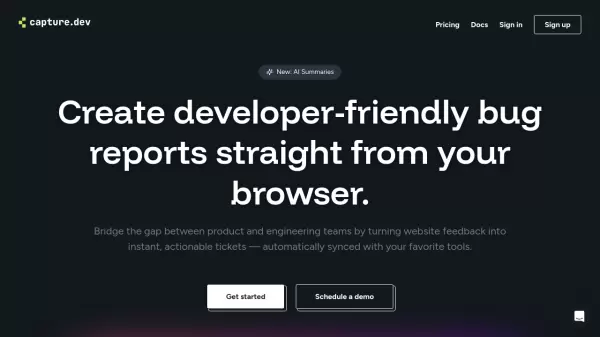
Capture.dev revolutionizes the bug reporting process by automatically collecting comprehensive technical context and user interactions, eliminating the traditional back-and-forth between team members. The platform features a versatile browser extension and widget that works across all major browsers, allowing users to capture, annotate, and report issues from any webpage.
The tool enhances collaboration through features like freehand annotations and audio/video feedback capabilities, while seamlessly integrating with popular project management and communication tools. Its AI-powered summaries help teams quickly understand and prioritize issues, making bug tracking and resolution more efficient.
Features
- Automatic Context Capture: Collects all technical details needed by developers
- Step-by-Step History: Records page interactions leading to issues
- AI Summaries: Generates concise issue descriptions for quick understanding
- Cross-Browser Support: Works on all major browsers
- Annotation Tools: Includes freehand drawing and multimedia feedback options
- Integration Support: Connects with popular project management tools
- Browser Extension: Easy installation for quick bug reporting
Use Cases
- Bug tracking and reporting
- QA testing documentation
- Product feedback collection
- Development team collaboration
- Website issue documentation
- Technical support communication
- Project management streamlining
FAQs
-
What integrations does Capture.dev support?
Capture.dev integrates with Slack, Linear, Trello, and has upcoming integrations for Jira, Intercom, Asana, ClickUp, and Zapier. -
Is there a money-back guarantee?
Yes, Capture.dev offers a 60-day money-back guarantee with a full refund if you're not satisfied. -
How long is the free trial period?
Capture.dev offers a 30-day free trial with full access to all features, no credit card required.