What is CalPal?
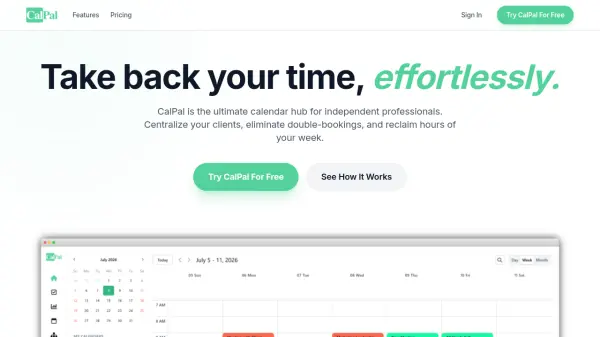
CalPal is a modern calendar management platform designed specifically for independent professionals who need to manage multiple client calendars efficiently. It integrates Google Calendar, Outlook, and ClickUp into a single unified interface, allowing users to view and manage all their schedules and tasks without switching between tabs.
The platform automatically syncs availability across all connected calendars to prevent double-bookings, provides real-time cross-calendar blocking with privacy controls, and offers bi-directional task syncing with drag-and-drop time blocking capabilities. CalPal also includes automatic time analytics that help professionals track billable versus non-billable hours across different clients and monitor their effective hourly rates.
Features
- Calendar Management and Sync: Automatically syncs availability across all Google and Outlook accounts to prevent double-bookings
- Task Management and Sync: Bi-directional task syncing with ClickUp, drag-and-drop time blocking, and native task creation
- Time Analytics: Automatic tracking of billable vs. non-billable time across clients with effective hourly rate monitoring
- Cross-Calendar Blocking: Real-time blocking across all connected calendars with privacy controls (only 'Busy' status shown)
- Multiple Connections: Supports 15+ simultaneous calendar and task workspace connections
Use Cases
- Managing multiple client calendars for independent consultants
- Preventing scheduling conflicts and double-bookings across different platforms
- Tracking billable hours and analyzing time allocation across clients
- Integrating task management from ClickUp with calendar scheduling
- Centralizing Google Calendar and Outlook schedules in one interface
FAQs
-
How many calendars can I connect with CalPal?
CalPal supports up to 15 connected calendars depending on your plan, with the Free plan offering 2 calendars, Starter offering 4, Standard offering 6, and Professional offering 15 calendars. -
What task management platforms does CalPal integrate with?
CalPal integrates with ClickUp for task management, allowing bi-directional task syncing and drag-and-drop time blocking. -
How does CalPal handle privacy when syncing calendars?
CalPal only shows 'Busy' status when syncing availability across calendars, maintaining full privacy for your schedule details. -
What happens if I don't enter payment details after the free trial?
If you don't enter payment details after the 14-day free trial, you'll automatically be moved to the Free plan with limited features. -
Does CalPal offer annual billing options?
No, CalPal currently only offers monthly billing to maintain simplicity and flexibility for users.